

Luma Dream Machine Review 2026: Cinematic Excellence with Ray3 Reasoning
Luma Dream Machine is a high-speed, high-fidelity AI video generator designed to transform text and images into cinematic footage. Built by Luma AI, it focuses on realistic physics, coherent motion, and professional-grade color science. In 2026, the platform stands out as a “reasoning” engine that understands complex visual intent, allowing creators to generate up to 2160p (4K) HDR video with precise control over keyframes and character consistency.
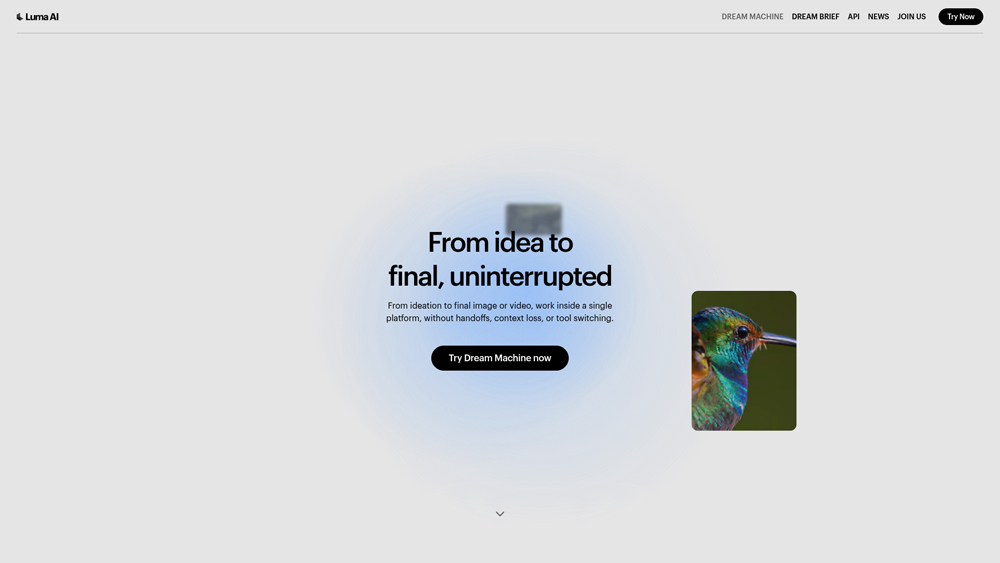
In-Depth Review & Ray3 Model Analysis
Luma Dream Machine has transitioned from a viral experimental tool into a robust production-ready platform. With the introduction of the Ray3 model, Luma has prioritized “visual reasoning”, the ability for the AI to understand the logic of a scene rather than just predicting pixels. This results in videos with fewer hallucinations in human anatomy and more accurate light interactivity. We evaluate its performance based on its integration into professional studio pipelines, specifically its world-first 16-bit HDR export capabilities.
Key Takeaways: Pros, Cons & Quick Summary
This summary outlines why Luma is the preferred choice for filmmakers and high-end marketing vs. casual social media generators.
Key Advantages (Pros)
- Superior Physics: Industry-leading realism in liquid, fire, and human movement dynamics.
- 16-bit HDR & EXR: The only AI tool currently supporting studio-grade HDR workflows for professional color grading.
- Precise Keyframing: Massive control over ‘Start’ and ‘End’ frames to guide specific narrative transitions.
- Character Reference: Maintain 100% identity and costume consistency across multiple clips and angles.
- Speed & Draft Mode: Rapid ideation mode allows users to test scenes 5x faster before committing credits to 4K.
Potential Drawbacks (Cons)
- Restricted Commercial Use: Commercial rights and watermark removal are strictly limited to the Plus plan ($29.99+) and above.
- Credit Intensity: High-fidelity 4K and HDR renders consume credits rapidly, making errors costly for power users.
- Length Limitations: Base generations are still primarily 5-10 seconds, requiring multiple extensions for long-form content.
Core Features: Ray3 Reasoning & Studio Workflow
Dream Machine isn’t just a “prompt and pray” tool; it provides a suite of directable features that allow users to act as virtual cinematographers. The 2026 feature set focuses on multi-modal inputs and production-ready outputs.
-
Ray3 Reasoning Engine: Unlike earlier models that merely matched patterns, Ray3 self-evaluates its output during generation to ensure scene logic and anatomical correctness.
-
Multi-Image Reference: Users can upload up to 4 reference images to define style, characters, and specific backgrounds simultaneously, ensuring complex scene continuity.
-
Modify Video (V2V): A natural language video-to-video tool that allows for wardrobe swaps, relighting, and environment changes while keeping the original actor’s performance intact.
-
Visual Annotation: The ability to draw directly on a reference image to tell the AI exactly where an object should move or where a character should stand.
-
Pro Export Formats: Support for 16-bit EXR frames, allowing VFX artists to composite AI footage directly into Maya, Blender, or Davinci Resolve pipelines.
Model Architecture: Ray3 vs. Photon
Luma utilizes two core models to drive the Dream Machine ecosystem: Ray3 for video and Photon for images. Together, they create a seamless workflow from concept art to moving picture.
- Ray3 (Video): Optimized for high-octane motion and complex crowds. It handles lens focal optics and light reflections with high accuracy, making it the superior model for photorealism.
- Photon (Image): A built-from-the-ground-up image model that serves as the perfect starting point for Image-to-Video. It is 8x more efficient than comparable models and excels at character expression.
- HDR Pipeline: The underlying architecture is natively HDR, meaning it doesn’t just “brighten” pixels but generates true dynamic range data for professional use.
Performance, Speed & User Experience
Luma has solved the “long queue” issue of 2024 through the introduction of Draft Mode and improved server scaling. The user experience is designed for rapid iteration.
- Draft Mode Latency: In Draft Mode, a 5-second clip is ready in under 60 seconds, allowing for a “sketching” workflow where creators can fail fast and find the right shot.
- Web & iOS Parity: The Luma mobile app is one of the best in the industry, offering full keyframe and reference controls that are often missing from mobile versions of competitors.
- Instruction Following: The model is highly adherent to natural language. Phrases like “90s vibe,” “fish-eye lens,” or “slow dolly zoom” are executed with high precision.
Luma Dream Machine Pricing & Physics Value
Luma AI (2026) has pivoted to a “Reasoning-First” model. With the Ray3.14 update, generation is now 4x faster. The Unlimited Plan remains the top choice for creators, offering a “Relaxed Mode” that allows for infinite experimentation once your fast credits are exhausted.
LITEHobbyist$7.99
- Price: $7.99/mo (Annual)
- Credits: 3,200 Monthly
- Quality: 4K Upscaling
- Note: Watermarked
UNLIMITEDVolume Creator$75.99
- Price: $75.99/mo (Annual)
- Fast Credits: 10,000
- Relaxed Mode: Unlimited
- High Priority: Yes
PROStudio Master$79.99
- Price: $79.99/mo (Annual)
- Credits: 20,000 Monthly
- Highest Priority: Top Tier
- Support: Priority
Note: The 2026 Ray3.14 model is 3x more efficient. A standard 5s 1080p clip now costs ~400 credits. Non-commercial plans (Lite/Free) include a Luma watermark. Annual billing saves 20%. Verify current rates at lumalabs.ai/pricing.
Why Luma in 2026?
Luma stands out for its Visual Reasoning. Unlike “token-prediction” models, Ray3.14 understands the 3D volume of a scene, making it the preferred tool for product renders and architectural flythroughs where spatial accuracy is non-negotiable.
Platforms Supported
- Web (Cloud)
- iOS App
- API Access
- Mac (M1+)
Training
- Learning Hub
- Discord Community
Support
- Online Ticketing
- Enterprise Support

Prompt Colleague Score
Quick Facts
- Company: Luma AI
- Latest Model: Ray3.14 (Jan 2026)
- Best For: Complex Physics & Pro HDR
- Core Innovation: Reasoning-Driven Video
- Resolution: Native 1080p / 4K Upscale
- Free Tier: Yes (30 Gens/Mo)
- Official Site: lumalabs.ai
Pricing & Access (2026)
- Lite Plan: $7.99/mo (3,200 Credits)
- Plus Plan: $23.99/mo (10k Credits)
- Unlimited: $75.99/mo (No Limits)
- Pro Plan: $79.99/mo (480 High-Pri Gens)
- Commercial: Plus Tier and Above
Frequently Asked Questions (FAQ)
Ray3 is Luma’s “reasoning” model, meaning it understands physical logic and complex prompts better than ever. It introduces native 16-bit HDR output, significantly improved character consistency, and the ‘Draft Mode’ which is 5x faster and cheaper for rapid ideation.
Yes. Using the ‘Character Reference’ feature, you can upload a single image of a person or creature. Luma will then maintain that identity, including clothing and facial features, across multiple generated scenes, making it ideal for storytelling.
Draft Mode generates lower-resolution previews in seconds for a fraction of the credit cost. It’s designed for the “flow” state—allowing you to test 10 different camera angles or prompts quickly before committing credits to a high-fidelity 4K HDR render.
Absolutely. Luma is the first to offer 16-bit HDR in ACES2065-1 EXR format. This allows professional colorists and VFX artists to integrate AI-generated footage directly into high-end production pipelines like DaVinci Resolve or After Effects.
The Modify (Video-to-Video) tool allows you to upload a real clip and change the environment, clothing, or art style while preserving the actor’s original motion and emotional performance. It’s perfect for digital “reshoots” or virtual product placement.
Free and Lite plans include a Luma watermark and are restricted to personal use. To remove watermarks and obtain full commercial usage rights, you must be on a Plus, Unlimited, or Enterprise plan.
Luma AI Developer APIs
The Luma Dream Machine API provides developers with programmatic access to the Ray3 and Photon ecosystems. Designed for high-scale creative apps, the API supports text-to-video, image-to-video, and the groundbreaking ‘Modify’ pipeline. By integrating Luma directly into their own software, companies can automate video generation at $0.32 per million pixels, enabling custom creative tools and automated marketing workflows.
With robust support for Python and JavaScript SDKs, the API includes features like camera motion control, keyframe anchoring, and 16-bit EXR frame exporting. This allows for “Agentic Video” workflows where AI can autonomously generate, review, and iterate on video assets based on real-time data or user inputs in external applications.
Luma AI Technology Stack:
- Ray3 Reasoning Engine
- Photon Image Model
- Multimodal Understanding
- SOTA Physics Simulation
- 16-bit HDR Pipeline
- High Dynamic Range (SDR to HDR)
- EXR Pro Exporting
- Visual Reasoning
- Character Consistency
- Style Reference (SRef)
- Universal Transformer Architecture
- Real-Time Latent Refinement
Video Generation Features:
- Text-to-Video
- Image-to-Video
- Video-to-Video (Modify)
- Video Extension (up to 1 min)
- Seamless Looping
- Start & End Keyframes
- Advanced Camera Motion Control
- Audio Generation
- Real-time Lip Sync
- Interactive Scene Editing
- 3D Depth Mapping
- Object Tracking
Product Features In Detail:
Luma Dream Machine is more than a simple generator; it is a creative suite that bridges the gap between AI and professional cinematography. By focusing on physical accuracy and high dynamic range, Luma provides a level of control and fidelity that makes it a favorite for filmmakers and agencies. This section breaks down the specific tools, from the Ray3 reasoning engine to the studio-grade export options, that set this platform apart in the 2026 AI landscape.
Luma’s Ray3 model doesn’t just predict pixels; it plans movement. It understands that if a character punches a wall, the wall should crack and the arm should react with weight. This “Chain of Thought” for visuals ensures physics-defying glitches are a thing of the past.
For the first time in generative AI, Luma produces native 16-bit High Dynamic Range video. Users can export in industry-standard .EXR formats, allowing professional editors to color-grade AI footage alongside traditionally shot cinematic material.
The “Holy Grail” of AI video is keeping characters the same between shots. Luma’s Character Reference tool allows you to lock in a face and costume, enabling you to build complex narratives and scenes with the same “actor” throughout.
The Modify feature allows for hybrid-AI workflows. You can film a human actor and then use Luma to swap their clothes, turn the background into a cyberpunk city, or transform the actor into a mythical creature, all while keeping the original performance intact.
Instead of relying solely on text, you can upload a ‘Start’ and ‘End’ frame. Luma intelligently fills the gap, giving directors total control over transitions, object placement, and the exact evolution of a scene.
Luma supports specific cinematic language. You can prompt “Camera orbit left,” “Dolly zoom,” or “Crane shot,” and the model will execute these movements with the precision of a professional camera operator.
To save time and credits, Draft Mode lets you iterate at 5x the speed. You can “sketch” your videos in lower resolution, refining the prompt and camera angles, before hitting the ‘Hi-Fi’ button to render the final masterpiece.
Boards act as a creative hub where you can organize generations, brainstorm with Concept Pills, and use the “More Like This” tool to evolve a specific style into a cohesive visual moodboard or storyboard.
The Top 4 AI Tools: Our Editors' Picks for Instant Productivity!

ChatGPT
AI Assistants

Google Gemini
AI Assistants

Midjourney
Image Generators

Otter.ai
Meeting Assistants