

Midjourney Review 2026: The Global Standard for AI Art & Design
Midjourney is an AI-powered generative art platform that allows users to create high-fidelity, cinematic images from simple text prompts. Known for its unmatched artistic detail and realism, it has evolved from a Discord-only bot into a professional-grade design tool with a dedicated web interface. Whether you are a solo hobbyist or a large-scale agency, Midjourney provides the creative engine to generate everything from photorealistic portraits and architectural renders to complex brand assets and high-resolution textures.
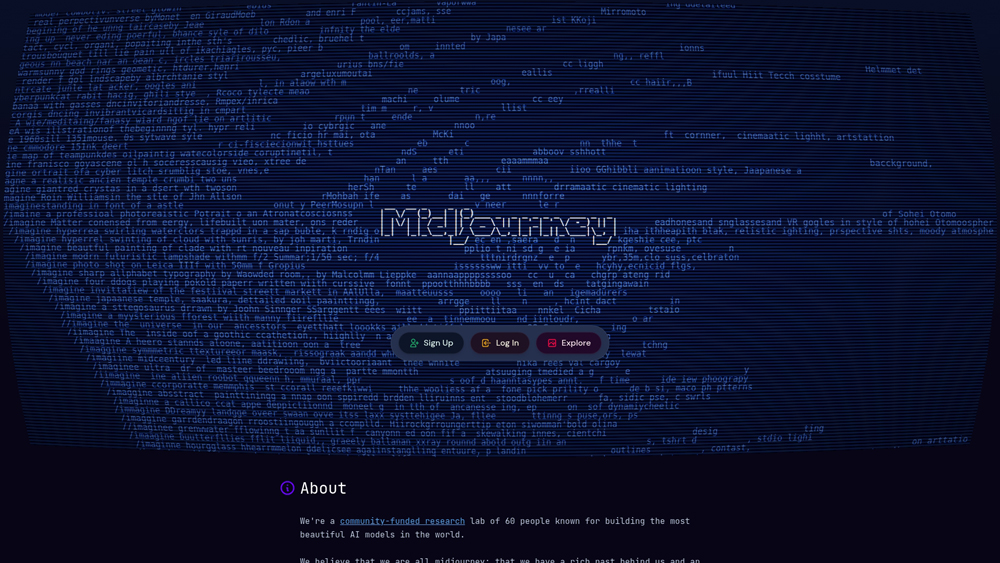
In-Depth Review & Model Analysis
Midjourney has defined the standard for high-fidelity AI imagery, moving away from the plastic “AI look” toward genuine photorealism. We evaluate its primary strengths across artistic utility, style consistency, and core model capabilities, focusing on the latest v6.1 architecture. This analysis assesses its readiness for high-end commercial production, fashion photography, and cinematic world-building.
Key Takeaways: Pros, Cons & Quick Summary
This quick summary provides the core advantages and potential drawbacks of using Midjourney for professional artistic and commercial visual work.
Key Advantages (Pros)
- Industry-Leading Aesthetics: Produces the most “human-like” art and photography with complex lighting and depth.
- Personalization (–p): Unique feature that learns your specific artistic taste to customize future generations.
- Powerful Upscaling: Integrated ‘Subtle’ and ‘Creative’ upscalers that add immense detail to final exports.
- Advanced Control: Granular features like ‘Vary Region’ (In-painting) and ‘Pan’ for expanding canvases.
- Vast Style Library: Access to the ‘Style Tuner’ to create and share custom aesthetic codes.
Potential Drawbacks (Cons)
- No Free Tier: Unlike competitors, Midjourney requires a paid subscription to generate any images.
- Steep Learning Curve: Mastering Discord commands and parameters (–ar, –s, –c) takes significant time.
- Typography Struggles: While improving in v6, it still lags behind Ideogram for complex text rendering.
Core Features: Midjourney v6.1 & Web Alpha
Midjourney offers a high-performance suite for visual exploration. We focus on the features that allow professional artists to maintain control over their creative vision, moving beyond simple one-click generations.
-
Photorealistic Engine: The v6.1 model architecture excels at human skin textures, realistic fabric, and natural environment lighting.
-
Vary Region (In-painting): A professional tool allowing you to select a specific area of an image and regenerate only that part with a new prompt.
-
Character & Style Reference: Use ‘–cref’ and ‘–sref’ to maintain consistent characters and artistic styles across multiple different image generations.
-
Zoom Out & Pan: Out-painting features that allow you to expand the view of an image (1.5x, 2x) or move the camera in any direction without losing the original content.
-
New Web Interface: The transition from Discord to a dedicated web app has significantly streamlined the user experience for those who prefer a visual workspace.
Creative Model Architecture & Versioning
Midjourney allows users to toggle between different versions of its engine, providing a timeline of AI art evolution to suit different creative needs.
- Midjourney v6.1: The current flagship, optimized for long prompt adherence, higher resolution, and better body anatomy (including hands).
- Niji 6 Model: A specialized collaboration engine specifically tuned for anime, manga, and illustrative styles.
- Personalization Engine: A proprietary system that analyzes your ‘ranking’ of images to build a unique aesthetic profile tailored to your brand.
Performance, UX & Discord Integration
Performance is measured by ‘GPU minutes.’ Midjourney offers different speeds depending on your workflow requirements, from “Turbo” to “Relax” modes.
- Generation Speed: Standard generations take ~60 seconds. Pro plans offer “Turbo” mode for near-instant 10-second renders.
- Workflow Experience: While Discord remains the social heart, the new web alpha provides a professional-grade gallery and prompt builder that feels like a modern SaaS tool.
- Creative Remixing: The ‘Remix’ mode allows for advanced prompt blending, letting you merge the style of one image with the subject of another.
Midjourney: 2026 Professional Design Pricing
The latest Midjourney V7 ecosystem provides the highest return on investment for high-end visual content. With Omni Reference, Style Explorer, and high-fidelity Video Generation, it remains the essential toolkit for anyone serious about the future of AI-driven digital art and commercial photography.
BASICMost Popular$10
- Price: $10/mo
- Model: 3.3 Fast GPU Hrs
- Core: Standard V7 Model Access Plus Member Gallery Rights and Personal Usage Licenses
- Best For: Individual Hobbyists and Students Exploring Initial Creative AI Image Logic
PRO PLANMost Popular$60
- Price: $60/mo
- Model: 30 Fast GPU Hrs
- Core: Stealth Mode Privacy Plus 12 Concurrent Fast Jobs and Priority Support Access
- Best For: Creative Agencies and Professional Studios Managing Confidential Client Assets
MEGA PLANMost Popular$120
- Price: $120/mo
- Model: 60 Fast GPU Hrs
- Core: Maximum Generation Speed Plus Advanced Video Rendering and High Volume Queues
- Best For: Enterprise Production Teams and Large Scale Media Houses Building Bulk Content
Note: Midjourney usage is metered by “Fast GPU Hours”; creating a standard set of four V7 images typically consumes about 60 seconds of this allowance. Once Fast Hours are exhausted, Basic users must purchase top-ups ($4/hr), while Standard and higher tiers can switch to “Relax Mode” for unlimited (queued) generations. Stealth Mode for private creation is strictly reserved for Pro and Mega plans. Always check your /info stats in Discord or your Account page on Midjourney.com for real-time usage, as GPU-weighting for newer experimental models is subject to change.
Midjourney Product Details
Midjourney remains the unsurpassed leader in cinematic fidelity and artistic nuance. While other models prioritize literal prompt adherence, Midjourney excels at high-concept visual storytelling, making it the essential engine for professional photographers, digital artists, and creative agencies. With the latest Character Reference (–cref) and Style Reference (–sref) tools, it has evolved from a simple generator into a sophisticated production tool, capable of maintaining strict visual identity across entire brand campaigns.
Platforms Supported:
- Discord App / Server
- Web Alpha (Dedicated)
- Windows / Mac (Web)
- iOS / Android (via Discord)
Training:
- Extensive Wiki
- Community Showcases
- Daily Office Hours (Live)
Support:
- Discord #help channel
- Community Moderation
- Billing Support Email

Prompt Colleague Score
Quick Facts
- Company: Midjourney, Inc.
- Best For: High-End Commercial Art & Aesthetics
- Current Engine: Version 7 (Niji 7 released Jan 2026)
- Major Feature: Omni-Reference (Universal Consistency)
- Video Mode: V1 (5-21s clips, Looping, End Frames)
- Interface: Full Web Editor + Discord
- Official Site: midjourney.com
Pricing & Access (2026)
- Basic Plan: $10/mo (3.3 hrs Fast GPU)
- Standard Plan: $30/mo (Unlimited Relax Mode)
- Pro Plan: $60/mo (Stealth Mode + HD Video)
- Mega Plan: $120/mo (60 hrs Fast + Max Video Concurrency)
- Free Trial: Periodic “Free Week” Events only
Frequently Asked Questions (FAQ)
V7 is the 2025 flagship model, featuring “Omni Reference” and significantly improved text rendering. While V6.1 is known for its raw artistic grit, V7 offers better anatomical coherence (fingers/eyes) and a much faster ‘Draft Mode’ for rapid ideation.
Standard free trials are rare and usually limited to special event periods. Most new users start with the $10 Basic Plan. However, you can often browse the gallery and rank images for free to earn “Fast Hours” for your future account.
Available on Standard ($30) plans and above, Relax Mode allows you to generate images without consuming GPU hours. Your jobs go into a dynamic queue; wait times vary from 1 to 10 minutes depending on community demand.
Yes. Subscribed users own the assets they create. However, if you are a company grossing over $1M/year, you are legally required to use the Pro or Mega plan to maintain commercial ownership rights.
These are ‘consistency’ tags. Use –cref to keep a person’s face/hair consistent across many images, and –sref to copy the exact colors and lighting of a reference image. They are essential for professional storytelling and branding.
No. While Discord is still active, the Midjourney Web Alpha is now the primary interface for most users. It features a sleek drag-and-drop editor, a dedicated “Organize” tab, and built-in upscaling tools.
Midjourney Professional Workflow Tools
The power of Midjourney in 2026 extends into high-end production environments. With the release of the V7 API and the Web Editor, studios can now integrate generative art directly into their design pipelines. This allows for ‘Inpainting’ (Vary Region) to be done via web interfaces, enabling pixel-perfect control over character placement, lighting adjustments, and asset generation at scale.
Professional users leverage the ‘Mega Plan’ for its 60 hours of Fast GPU time and the exclusive Stealth Mode. Stealth Mode is critical for agencies working on unreleased products or private client IPs, as it ensures your prompts and resulting images never appear in the public Midjourney gallery or community feed.
Creative Capabilities:
- Photorealistic Portraits
- Architectural Visualization
- UI/UX Mockups
- Logo & Vector Concepts
- Character Consistency (–cref)
- Style Personalization (–p)
- 4K Creative Upscalers
- Aspect Ratio Control (–ar)
- High-Fidelity Text Rendering
- Tileable Textures (–tile)
- Niji 6 (Anime Optimization)
- Raw Mode (–style raw)
Editing Tools:
- Vary Region (Inpainting)
- Pan (Expand Directionally)
- Zoom Out (1.5x / 2.0x)
- Remix Mode (Live Editing)
- Multi-Style Reference Mixing
- Describe Tool (Image-to-Text)
- Fast/Turbo/Relax Modes
- Video Generation (Experimental)
- Web-Based Drag-and-Drop
- Smart Folder Organization
- Custom Style Tuning
- Social Gallery Sharing
Advanced Visual Logic:
- Chaos Control (–chaos)
- Stylize Intensity (–s)
- Weird Parameter (–w)
- Stop Percentage (–stop)
- Seed Management (–seed)
- Character Weight Dial (–cw)
- Style Weight Tuning (–sw)
- Negative Prompting (–no)
- Permutation Prompts
- Image Prompt Weighting (–iw)
- Dynamic Lighting Logic
- Depth-of-Field Simulation
- Material Texture Rendering
Product Features In Detail:
While Midjourney began as a simple bot on Discord, it has evolved into the world’s most sophisticated AI art engine. In 2026, the platform prioritizes user taste and consistency through a massive array of parameters. This FAQ deep dive explains the specialized features, from the ‘Personalization’ engine to the ‘Editor’ that allow professional creators to move beyond random generations and achieve intentional, high-fidelity results for commercial use.
One of Midjourney’s most advanced features. By ranking images in the ‘Personalization’ tab, Midjourney builds a custom model of your artistic taste. Adding –p to your prompts ensures that every result aligns with your preferred lighting, color palettes, and composition styles.
The Web Editor is a game-changer. Use ‘Vary Region’ to select a specific part of an image (like a person’s shirt) and change it via prompt. Use ‘Pan’ or ‘Zoom Out’ to expand the canvas, revealing what lies beyond the original frame without distorting the center.
By providing a URL to a character you’ve already made, you can use the –cref parameter to keep that character’s appearance identical in new scenes. You can even use –cw (Character Weight) to decide if you want to keep just the face or the entire outfit.
The new Omni Reference system in V7 allows you to blend multiple style and character references simultaneously with much higher accuracy. It understands the difference between ‘vibe’ and ‘structure’ better than any previous model.
No more scrolling through thousands of Discord messages. The Web Alpha provides a clean workspace to manage prompts, view your entire history, and use the ‘Visual Search’ tool to find specific images you’ve generated in the past.
For Pro and Mega subscribers, Stealth Mode is a critical privacy feature. It prevents your images from being seen by the community on the Midjourney website. This is the industry standard for designers working on confidential corporate projects.
New in V7, Draft Mode renders images 10x faster at a fraction of the GPU cost. It’s designed for ‘sketching’ ideas rapidly. Once you find a composition you love, you can ‘Upscale’ or ‘Enhance’ it to full quality with one click.
Midjourney now supports complex text within images. By putting text in “quotation marks” inside your prompt, the AI can render specific labels, signs, and movie titles with professional-level typography and spelling.
The Top 4 AI Tools: Our Editors' Picks for Instant Productivity!

ChatGPT
AI Assistants

Google Gemini
AI Assistants

Midjourney
Image Generators

Otter.ai
Meeting Assistants