

Google Veo Review 2026: Cinematic Video Generation with Native Audio
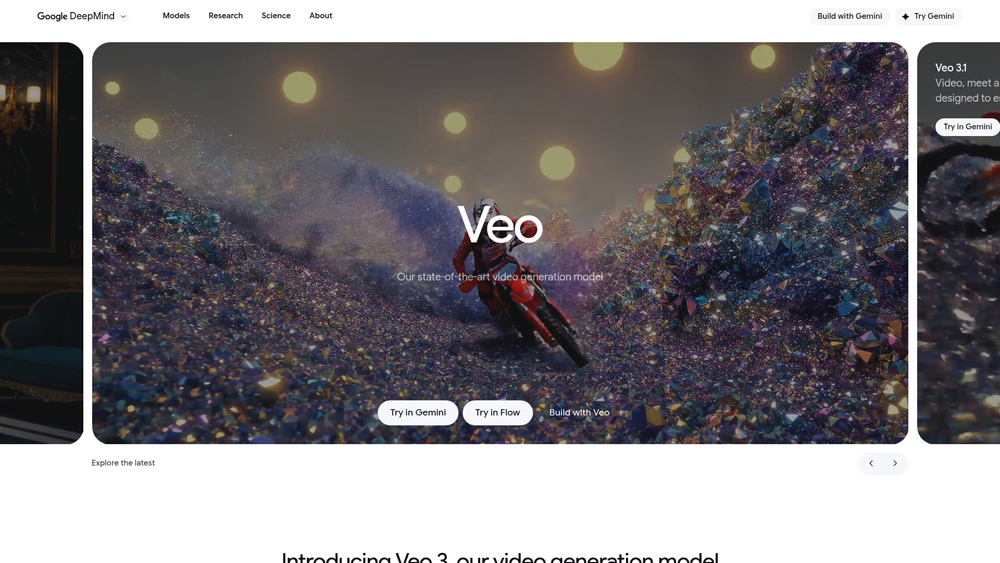
Google Veo is a state-of-the-art generative video model developed by Google DeepMind, designed to transform text, image, and video prompts into high-quality 1080p cinematic sequences. Standing out in the 2026 landscape, Veo 3.1 integrates native, synchronized audio generation directly into the visual output. By understanding film theory concepts like “tracking shots” or “cinematic lighting,” Veo provides creators with granular control over the narrative flow, making it a primary tool for filmmakers, advertisers, and social media professionals within the Google ecosystem.
In-Depth Review & Model Analysis
The release of Veo 3.1 has moved AI video from “moving pictures” to “narrative scenes.” By utilizing a 3D latent diffusion architecture, Veo understands how objects move through space and time, allowing for consistent physics, such as the way fabric ripples or water splashes. In 2026, the model’s primary differentiator is its “Native Audio” capability, which generates environmental sounds and speech that perfectly match the visual action, significantly reducing the need for external Foley or post-production sound editing.
Key Takeaways: Pros, Cons & Quick Summary
This summary highlights the strengths and limitations of Google Veo for professional video production workflows.
Key Advantages (Pros)
- Integrated Sound Design: Automatically generates synchronized dialogue, sound effects, and ambient scores.
- Advanced Cinematic Control: Understands professional camera lingo like “dolly zoom,” “pan,” and “low-angle shot.”
- Temporal Consistency: High stability in character features and environment across shots (Scene Extension).
- Reference Image Guidance: Use up to 3 images to lock in style and character consistency across multiple generations.
- Google Ecosystem Sync: Seamlessly integrated into Flow, Vertex AI, and the Gemini Pro app for easy access.
Potential Drawbacks (Cons)
- Strict Content Filters: Aggressive safety guardrails can sometimes block benign prompts or stylized artistic violence.
- Limited Single Clip Length: Core generations are capped at 8 seconds, requiring the “Extend” feature for longer scenes.
- High Resource Latency: Cinematic 1080p renders can take several minutes per clip compared to “Fast” model versions.
Core Features: Multi-Image Reference & First/Last Frame Transitions
Veo 3.1 introduces powerful editing tools that give creators precision control over the generative process, moving beyond simple “text-to-video” lottery.
-
Ingredients to Video: Users can upload up to three reference images (character, object, and scene style). Veo then combines these “ingredients” into a coherent video, ensuring your protagonist looks the same in every shot.
-
First and Last Frame: By providing the starting image and the ending image, Veo generates the transition between them, allowing for perfect, controlled motion paths.
-
Scene Extension: You can extend any 8-second clip by increments, allowing for sequences that exceed one minute while maintaining visual and audio continuity.
-
Cinematic Aspect Ratios: Native support for 16:9 (Landscape) and 9:16 (Portrait) at 24 FPS, optimized for both YouTube and vertical social media formats.
-
In-Scene Editing (Insert/Remove): The “Flow” interface allows users to add new elements to a scene (like a flying bird) or remove unwanted objects with automatic background reconstruction.
Model Versions: Veo 3.1 vs. Veo 3.1 Fast
Google offers two distinct tiers of the model to balance the “Speed vs. Quality” trade-off common in AI video generation.
- Veo 3.1 (Cinematic): The high-fidelity model. It focuses on maximum realism, complex lighting (ray-tracing style), and precise audio-visual synchronization. Best for final production assets.
- Veo 3.1 Fast: Optimized for rapid iteration and lower cost. It generates previews in seconds rather than minutes, allowing creators to “storyboard” and test motions before committing to a full-res render.
- SynthID Watermarking: All outputs include an invisible, digital watermark that identifies the content as AI-generated, ensuring compliance with global transparency standards.
Performance, Physics & Audio Quality
Performance is assessed by how well the model adheres to the laws of physics and how “natural” the generated audio feels during playback.
- Physics Simulation: Veo excels at liquid dynamics and gravity. Unlike earlier models where objects might float or morph, Veo 3.1 maintains the weight and collision properties of objects throughout the clip.
- Audio Sync (Lip-Sync): The model’s ability to generate speech that matches character mouth movements is industry-leading, though it can occasionally struggle with rapid, multi-person dialogue.
- Motion Fluidity: Operating at 24 FPS, the motion blur is physically plausible, avoiding the “uncanny valley” of perfectly sharp, robotic movement.
Google Veo Pricing & Professional Access
Google Veo 3.1 is tiered based on your production needs. The AI Pro tier is perfect for social creators using 1080p, while AI Ultra is a full studio suite that includes 4K rendering and massive 30TB storage for video assets. For developers, the Vertex API offers a pay-as-you-go model for high-scale automation.
AI PROSocial Creator$19.99
- Model: Veo 3.1 Fast
- Resolution: 1080p Enhanced
- Credits: 1,000 Monthly
- Storage: 2TB Google One
VERTEX APIDeveloperPAYG
- Pricing: $0.15 – $0.40/sec
- Integration: Cloud/Vertex
- Custom: Fine-tuning
- Best For: SaaS Apps
Note: University students with a valid .edu email can claim 12 months of AI Pro for free via SheerID. The Ultra tier includes the “Flow” creative suite and watermark-free downloads via SynthID clearing. Verify regional availability at gemini.google/subscriptions.
The 2026 'Production' Edge
Veo 3.1’s greatest strength is its Environmental Continuity. Unlike other models where backgrounds “shimmer” or change, Veo locks in the scene geometry. Combined with 48kHz native audio that matches mouth movements and footsteps perfectly, it is currently the most viable AI tool for creating short-form narrative films or high-end TV commercials.
Platforms Supported
- Web (Flow / Gemini)
- Vertex AI (Enterprise)
- Gemini App (iOS/Android)
- Google AI Studio (API)
Training
- Documentation
- Prompt Gallery
- Video Tutorials
Support
- Online Help Center
- Google Cloud Support
- Community Forums

Prompt Colleague Score
Quick Facts
- Company: Google DeepMind
- Latest Model: Veo 3.1 (Jan 2026 Update)
- Best For: Cinematic 4K & Character Continuity
- Key Innovation: Ingredients to Video (Ref Images)
- Audio: Native 48kHz Synchronized Sound
- Watermark: SynthID (Invisible/Digital)
- Official Site: deepmind.google
Pricing & Access (2026)
- Free Tier: Limited Trial (Gemini App)
- AI Pro: $19.99/mo (1080p Access)
- AI Ultra: $249.99/mo (4K Cinematic)
- Student Offer: 1 Year Free (AI Pro)
- API: $0.15 – $0.75 / second (Vertex AI)
Frequently Asked Questions (FAQ)
Veo 3.1 is the 2026 flagship model, introducing significantly richer native audio generation (dialogue and SFX) and the ‘Flow’ suite. While Veo 3 established 1080p cinematic quality, 3.1 adds multi-reference ‘Ingredients’ for character consistency and the ability to extend clips up to 60 seconds.
Google offers a limited free tier via the Gemini App (approx. 3 videos/day using the ‘Fast’ model). For professional use, including 1080p resolution, no watermarks, and high-volume generation, users must subscribe to Google AI Pro ($19.99/mo) or AI Ultra ($249.99/mo).
Standard generations are typically 4, 6, or 8 seconds. However, using the ‘Scene Extension’ feature in Veo 3.1, users can chain clips together to create continuous, consistent videos lasting 60 seconds or more, complete with synchronized audio.
Yes, videos generated via paid tiers (Pro, Ultra, or API) can be used for commercial marketing and production. Google includes SynthID watermarking in the metadata to ensure responsible AI disclosure while protecting your usage rights.
Yes. Veo 3.1 natively supports both 16:9 (Landscape) and 9:16 (Portrait) aspect ratios. The vertical mode is specifically optimized for TikTok, Instagram Reels, and YouTube Shorts, generating at 720p or 1080p depending on the plan.
This advanced feature allows you to upload up to three reference images. Veo uses these ‘ingredients’ to maintain strict consistency for characters, objects, or artistic styles across different scenes, solving the ‘flickering character’ issue common in earlier AI models.
Generative Video APIs
The Veo 3.1 API via Google AI Studio and Vertex AI represents the cutting edge of programmatic video production. Developers can now automate entire content pipelines, utilizing ‘Veo 3.1 Fast’ for rapid social media drafts ($0.15/sec) or the full ‘Veo 3.1’ model for high-fidelity cinematic assets ($0.40/sec). This infrastructure is built for scale, supporting up to 50 requests per minute for enterprise-level video generation.
Beyond simple text-to-video, the API supports advanced multimodal prompts where image references guide the visual output and specific audio cues define the soundscape. Integrated directly into Google Cloud, it provides SOC 2 compliance and ensures that generated content remains secure, making it the preferred choice for advertising agencies and global media corporations.
Core Video Capabilities:
- Text-to-Video
- Image-to-Video
- Cinematic Realism
- Vertical 9:16 Support
- Native Audio Gen
- Lip-Sync Dialogue
- Ambient SFX Creation
- 1080p HD Resolution
- Character Consistency
- Style Transfer
- Physics Accuracy
- Metadata Watermarking
Creative Editing Tools:
- ‘Insert’ Object Tool
- ‘Remove’ Element Tool
- Scene Extension (60s+)
- First & Last Frame Control
- Multi-shot Interpolation
- Prompt Rewriting (AI)
- Background Reconstruction
- Advanced Camera Controls
- Upscaling to 4K
- Live Collaborative Editing
- Storyboarding Agents
- Real-time Rendering
Ecosystem Integration:
- Google Vids Integration
- Google Photos Animation
- YouTube Shorts Export
- Vertex AI Model Garden
- Gemini 3 Pro Multimodality
- Agentic Video Workflows
- Google Cloud Storage Sync
- Android XR Compatibility
- Envato VideoGen Partner
- Freepik Integration
- Premiere Pro Plugin
- DaVinci Resolve Extension
- Live Stream Rendering
Product Features In Detail:
Google Veo 3.1 is not just a video generator; it is a full-stack cinematic production suite powered by Google DeepMind. This detailed guide explores how Veo’s 2026 features, like native audio, 60-second extensions, and character consistency, allow creators to bypass traditional filming costs. Whether you are producing social media ‘shorts’ or professional-grade marketing trailers, these features provide the granular control required for high-stakes visual storytelling.
Veo 3.1 features the world’s most advanced native audio sync. It doesn’t just add generic music; it generates lip-synced dialogue, ambient environmental sounds, and sound effects (SFX) that align with visual impacts (e.g., a door slamming) with only 10ms of latency.
Unlike competitors limited to 10-20 seconds, Veo 3.1’s ‘Extend’ feature allows you to use the final second of a clip to generate the next segment. This maintains perfect environmental and character continuity, enabling the creation of minute-long short films in one workflow.
By uploading up to three ‘Ingredient’ images, you can lock in a character’s face, a specific product’s design, or a complex artistic style. Veo then ensures these elements remain identical throughout every shot, making it viable for professional brand storytelling.
Provide Veo with a first and a last frame, and it will generate the entire transition in between. This ‘interpolation’ is perfect for creating smooth, intentional camera moves or complex transformations that standard text-prompting can’t achieve.
Available via the ‘Flow’ interface, creators can highlight an area of a generated video to ‘Insert’ a new object (like a hat on a character) or ‘Remove’ unwanted elements. The AI reconstruction ensures the lighting and shadows update naturally in the background.
Veo 3.1 produces native 1080p HD files without the blurriness associated with simple upscaling. With full support for 9:16 vertical formatting, it allows creators to export production-ready content directly to YouTube Shorts and Instagram Reels.
To help users get the best results, Veo includes an integrated Gemini layer that automatically expands simple prompts (e.g., ‘a cat’) into high-detail cinematic descriptions, ensuring the model captures lighting, lens type, and mood accurately.
For corporate teams using Vertex AI, Google ensures that no uploaded ‘Ingredients’ or generated videos are used to train public models. Combined with SynthID watermarking, it provides a secure, legally compliant environment for IP creation.
The Top 4 AI Tools: Our Editors' Picks for Instant Productivity!

ChatGPT
AI Assistants

Google Gemini
AI Assistants

Midjourney
Image Generators

Otter.ai
Meeting Assistants