

Adobe Firefly Review 2026: The Premier Choice for Ethical & Commercially Safe AI
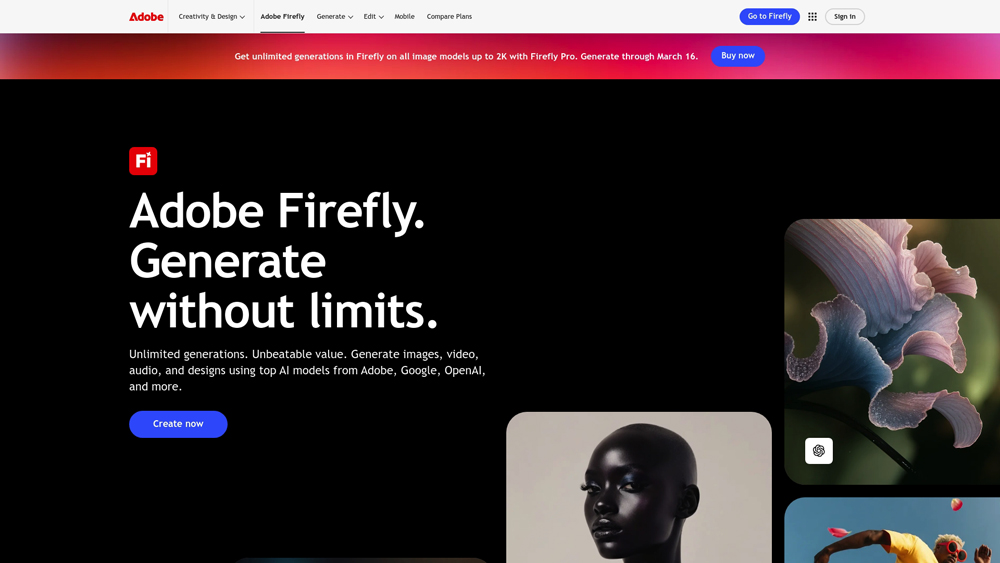
Adobe Firefly is a family of creative generative AI models designed specifically for creators and designers. Deeply integrated into the Adobe Creative Cloud ecosystem (Photoshop, Illustrator, Express), it enables users to generate images, text effects, and vector recoloring via simple text prompts. Unlike many competitors, Firefly is trained on Adobe Stock and public domain content, making it the most reliable choice for businesses requiring high-quality, commercially safe AI output.
Creative Model Analysis & Production Readiness
Adobe Firefly has redefined the creative workflow by embedding AI directly into the tools artists already use. We evaluate its performance based on the Firefly Image 3 and Vector Models, focusing on how these tools handle professional-grade tasks like high-resolution editing, vector manipulation, and brand-consistent content creation. This analysis focuses on why Firefly is the premier choice for production-ready design environments.
Pros, Cons & Quick Summary for Designers
A high-level view of why Adobe Firefly is essential for some, yet potentially limited for others.
Key Advantages (Pros)
- Ethical & Commercially Safe: Trained on Adobe Stock, ensuring no copyright infringement for commercial projects.
- Deep Photoshop Integration: ‘Generative Fill’ and ‘Generative Expand’ work seamlessly inside the PSD workspace.
- Superior Vector Tools: Includes the world’s best ‘Text to Vector’ and ‘Generative Recoloring’ for Illustrator.
- Content Credentials: Automatically attaches tamper-evident metadata to images, proving they are AI-generated.
- Style Reference Control: Matches the structure and style of uploaded images with incredible precision.
Potential Drawbacks (Cons)
- Strict Content Filters: Can be overly restrictive with prompts compared to more “open” models like Midjourney.
- Artistic Limitations: While great for design, it sometimes struggles with the ultra-cinematic realism found in Midjourney v6.
Core Features: Generative Fill & Multi-Model Synergy
By 2026, Adobe Firefly has evolved from a standalone tool into a massive “AI Hub.” It no longer limits you to Adobe’s models; you can now toggle between Firefly, Google Gemini 3 (Nano Banana Pro), and FLUX.2 directly within the interface to find the perfect aesthetic for your project.
-
Generative Fill & Agentic Edit: Beyond standard fills, the 2026 update introduces conversational editing. You can now chat with the AI to “remove the person on the left and change the lighting to golden hour” without re-generating the entire image.
-
Text to Vector Graphic 2.0: Now powered by the Vector Model 3, it generates complex, fully layered SVGs with much higher path precision, making it indispensable for logo designers and illustrators.
-
Firefly Boards (Collaboration): An infinite, AI-native whiteboard where teams can brainstorm using multiple models, iterate on “Structure References,” and then send final assets directly to Photoshop or Premiere.
-
Generative Text Edit: A massive leap for marketing; you can now click on text within an image and type to change the copy. The AI maintains the original lighting, 3D texture, and font style automatically.
-
Partner Model Hub: For the first time, Pro users can access external models like Google Nano Banana Pro for factually accurate visuals or FLUX for high-end photorealism, all while staying inside the Adobe ecosystem.
Model Architecture & The Professional Tier
The 2026 architecture is split between “Standard” speed and “Ultra” precision. Adobe’s commitment to commercial safety remains the benchmark for enterprise-level design.
- Firefly Image Model 4 Ultra: This is the new “gold standard” for realism. It delivers native 4-megapixel resolution and handles complex human anatomy, especially hands and eyes, with near-perfect accuracy.
- Firefly Video Model (Public Beta): Now fully integrated with Premiere Pro’s ‘Generative Extend.’ It allows editors to generate extra frames to fix timing issues or create cinematic b-roll from scratch using start/end frame references.
- Commercially Safe Audio: The new Firefly Audio model can generate studio-quality, royalty-free soundtracks and localized voiceovers that match the emotional tone of your video footage.
- Custom Brand Models: Enterprise users can now “train” a private version of Firefly on their own brand catalog, ensuring that every AI generation looks like it was created by their in-house team.
Performance & Agentic Workflow (UX)
Firefly’s UX has moved from “Passive Tool” to “Active Assistant.” The 2026 experience is built around the Adobe AI Assistant, which can perform multi-step tasks for you.
- Agentic Orchestration: Instead of doing everything yourself, you can tell the AI Assistant: “Prep these 10 photos for Instagram by removing the backgrounds, applying a warm filter, and adding our logo to the bottom right.” The AI executes the workflow across all layers.
- On-Device Processing: To improve speed and privacy, many core AI tasks (like ‘Remove Background’ and ‘Object Selection’) now happen on your local hardware, resulting in zero-latency performance.
- Prompt to Edit Interface: The interface now includes a contextual chat bar. If a generation isn’t quite right, you don’t rewrite the prompt; you just tell the AI what to fix (e.g., “Make the blue darker”), and it adjusts only those pixels.
- Topaz Astra Integration: Through a new partnership, Firefly Boards now include Topaz Astra upscaling, allowing you to take an AI-generated clip and push it to 4K resolution with professional-grade clarity.
Adobe Firefly Pricing & Creative Credits
Adobe operates on a Generative Credit system. In 2026, most paid plans now offer Unlimited Standard Image Generations (Generative Fill/Expand), while Firefly Video and Partner Models (Gemini, FLUX) utilize a higher credit-per-task ratio.
FREE TIERMost Popular$0
- Price: $0/mo
- Credits: 25 Monthly
- Image Gen: Credit-limited
- Best For: Testing Features
CC ALL APPS PROMost Popular$69.99
- Price: $69.99/mo
- Credits: 4,000 Monthly
- Video: Full Access
- Best For: Professional Studios
FIREFLY PREMIUMMost Popular$199.99
- Price: $199.99/mo
- Credits: 50,000 Monthly
- IP: Full Indemnity
- Best For: High-Volume Video
PRO TIP: Generative credits reset monthly and do not roll over, with high-computation tasks like 4K Video and External Partner Models (Google Gemini 3, OpenAI) consuming credits from your monthly pool; visitors should always check the official Adobe Firefly site for the most current credit costs and model availability. For API-based Firefly Services, contact Adobe directly to discuss volume pricing and enterprise data-governance features.
The 2026 Creative Ecosystem
Adobe Firefly has matured into a multi-model hub. It remains the only AI platform that offers a full legal safety net for commercial work while allowing pros to tap into external engines like Gemini 3 and FLUX.2 for specialized creative needs, making it the most versatile tool for corporate and freelance designers alike.
Platforms Supported
- Web (Browser)
- Windows (Desktop)
- Mac OS
- iPad (Photoshop/Express)
Training
- Adobe Stock Library
- Public Domain Content
Support
- 24/7 Enterprise Support
- Community Forums

Prompt Colleague Score
Quick Facts
- Company: Adobe Inc.
- Best For: Professional Creative Workflows
- Latest Models: Firefly Image 4, Firefly Video (Public), Image 4 Ultra
- Key Tech: Partner Model Hub (Gemini, GPT, FLUX)
- Platform Integration: Native in Photoshop, Illustrator, Premiere 2026
- Safety: CAI (Content Authenticity Initiative) Compliant
- Official Site: adobe.com/firefly
Pricing & Access (2026)
- Free Tier: 25 Credits/mo (Standard Image Models)
- Firefly Standard: $9.99/mo (2,000 Credits)
- Firefly Pro: $19.99/mo (4,000 Credits + Video Access)
- Creative Cloud Pro: $69.99/mo (All Apps + 4,000 Credits)
- Enterprise: Custom (Indemnification + Custom Model APIs)
- Best Value: Creative Cloud All Apps (for professionals)
Adobe Firefly Frequently Asked Questions (FAQ)
Yes. Unlike other models, Firefly is trained on Adobe Stock images, openly licensed content, and public domain content where the copyright has expired. This ensures that the assets you generate are legally safe for commercial projects and brand campaigns.
Generative Credits are the currency for Firefly features. Each time you click ‘Generate’ for text-to-image or Generative Fill, credits are deducted. Paid Creative Cloud plans include a monthly allocation (usually 1,000), while the free tier offers a limited 25 credits per month.
Absolutely. Adobe Firefly is available as a standalone web application (firefly.adobe.com), allowing anyone to generate images, text effects, and recolor vectors directly in their browser without needing to install professional design software.
Yes, through the ‘Text to Vector’ model in Adobe Illustrator. It generates fully editable SVG files with logical layers and clean paths, making it the superior choice for scalable brand assets compared to standard pixel-based AI models.
Content Credentials are a “nutrition label” for digital content. Firefly automatically attaches metadata to generations that identifies the image as AI-generated, helping maintain transparency and trust in professional creative workflows.
Structure Reference allows you to upload an existing image or sketch to guide the AI’s composition. Instead of just describing a scene, you provide the ‘bones’ of the image, and Firefly fills in the detail while keeping your exact layout.
Creative Generative AI APIs & Services
The professional utility of Adobe Firefly extends into automated enterprise workflows via Firefly Services. This API-first approach allows businesses to scale content production by programmatically accessing Generative Fill, Image Expansion, and Style Kits. By integrating Firefly into a custom DAM (Digital Asset Management) or PIM system, brands can automate the creation of thousands of localized or personalized marketing assets while maintaining strict brand consistency and legal safety.
Enterprise developers use Firefly APIs to build custom creative engines that power everything from dynamic e-commerce product backgrounds to automated social media content pipelines. With built-in support for Content Credentials and Adobe’s IP indemnification, the API is the foundation for high-volume, professional-grade creative automation that respects the rights of creators while delivering cutting-edge efficiency.
Core Design Capabilities:
- Text-to-Image Generation
- Generative Fill (In-painting)
- Generative Expand (Out-painting)
- Object Removal
- Text to Vector Graphic
- Generative Recoloring (SVG)
- Style Reference Matching
- Structure Reference Control
- Text Effects & Textures
- Adobe Stock Model Integration
- Commercial IP Indemnity
- Content Credentials Support
Professional Creative Workflow:
- Photoshop Native Integration
- Illustrator Vector Pipeline
- InDesign Asset Generation
- Adobe Express Templates
- SVG / Vector Export
- High-Resolution PNG/JPG
- Layer-Based Editing
- B-Roll Video Generation
- 3D to Image Rendering
- Animation Effects
- Direct Social Media Publishing
- Audio-to-Video Sync
Compliance & Safety:
- Adobe Stock Dataset Training
- No Artist Scraping
- IP Indemnification (Enterprise)
- Content Credentials (CAI)
- Enterprise Privacy Tiers
- SOC 2 Compliance
- Corporate Data Protection
- Style Guard Consistency
- Model Transparency Reports
- CAI Watermarking
- Open Source Model Access
- Local Hardware Execution
- Third-Party Plugin Training
Asset Generation & Modification:
- Text-to-Image
- SVG Generation
- Logo Generation
- Generative Style Transfer
- Mood Board Synthesis
- Brand Color Mapping
- Background Synthesis
- Multiple Resolution Upscaling
Image & Graphics Processing:
- Bezier Path Generation
- Layer Separation
- Anatomical Accuracy Tuning
- Global Style Consistency
- Context-Aware Shadowing
- Perspective Matching
- Batch Processing
- RAW Image Support
- Dynamic Lighting Renders
- 3D Mesh Generation
Product Features In Detail:
Beyond a simple web prompt box, Adobe Firefly serves as a professional-grade creative engine embedded within the tools designers use daily. This section provides detailed technical insight into the features that distinguish Firefly from artistic AI, focusing on production reliability, vector precision, and legal compliance. These advanced capabilities allow professional designers to integrate AI into their workflow without compromising brand safety or asset editability.
The most used AI feature in design history. Generative Fill allows you to select any area of a photo and use a text prompt to add objects, change clothing, or swap backgrounds. It automatically matches the lighting, grain, and focal depth of the original photo.
Firefly is the only major model that generates native vector paths. Instead of just a flat image of a logo, it creates fully scalable, layered SVG files where you can move every anchor point and adjust every curve in Illustrator.
Break the “prompt loop” by providing a visual guide. Structure Reference tells Firefly to follow a specific layout, while Style Reference forces it to match the colors and textures of a brand asset you’ve already created.
Quickly test dozens of color palettes for a logo or illustration. By typing prompts like ‘neon 80s’ or ‘organic pastel,’ Firefly instantly maps new color schemes to your existing vector artwork while maintaining the integrity of your layers.
As part of the Content Authenticity Initiative, Firefly-generated assets carry tamper-evident metadata. This proves the work was created ethically and identifies the use of AI, protecting your professional reputation and brand trust.
The latest Firefly foundation model offers industry-leading rendering of human skin, fabric textures, and cinematic lighting. It is optimized for “production realism” rather than just stylized art, making it perfect for advertising photography.
For large organizations, Adobe offers legal protection. Because Firefly is trained on legally cleared data, Adobe provides financial indemnification for copyright claims, a critical feature for Fortune 500 marketing departments.
The Firefly Video model allows for text-to-video and image-to-video creation. It is specifically tuned to create clean, commercially-safe B-roll footage and cinematic transitions that integrate into Premiere Pro workflows.
The Top 4 AI Tools: Our Editors' Picks for Instant Productivity!

ChatGPT
AI Assistants

Google Gemini
AI Assistants

Midjourney
Image Generators

Otter.ai
Meeting Assistants