

Microsoft Power Apps Review 2026: The Heavyweight Champion of Corporate Tool Building
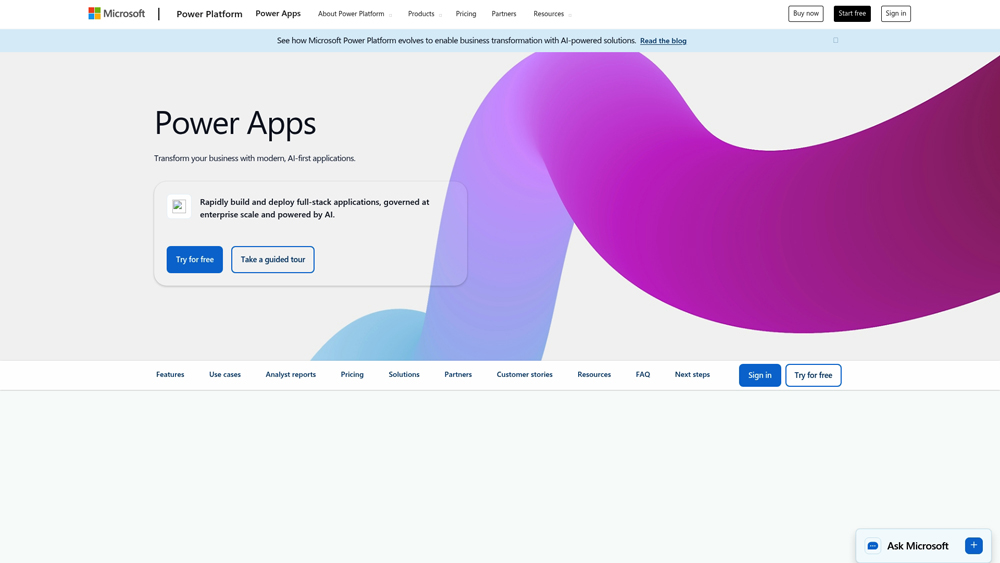
Microsoft Power Apps is a suite of apps, services, connectors, and a data platform developed by Microsoft that enables users to build custom business applications with little to no code. In 2026, it serves as the foundation for digital transformation, allowing organizations to modernize manual processes and solve complex business challenges. Users can leverage Copilot, an AI-driven assistant, to design apps using natural language, images, or legacy data sources. Accessible via web browsers and mobile devices, the platform supports a vast range of use cases, from simple internal approval forms to robust, data-heavy enterprise solutions integrated with Microsoft Dataverse, SharePoint, and SQL Server.
In-Depth Review & Model Analysis
Power Apps has redefined rapid application development for the modern workplace. In 2026, the focus has shifted from mere ‘drag-and-drop’ to AI-assisted generation. We evaluate its primary strengths across Dataverse integration, Copilot-led creation, and governance, focusing on the 2026 Wave 2 updates which prioritize ‘Agentic’ workflows that can act autonomously within your business data. This analysis assesses its viability for both simple departmental tools and mission-critical enterprise systems.
Key Takeaways: Pros, Cons & Quick Summary
This summary highlights the core benefits and technical challenges of adopting Power Apps for your organization’s digital transformation.
Key Advantages (Pros)
- Microsoft 365 Synergy: Unmatched native integration with Teams, SharePoint, and Outlook.
- Copilot Builder: Use natural language to describe an app and let AI build the UI and data tables.
- Extensive Connectors: Access to 1,000+ pre-built connectors for both Microsoft and 3rd-party services.
- Enterprise Governance: Centralized IT control over data loss prevention (DLP) and user permissions.
- Dataverse Power: A high-scale, relational database engine built directly into the platform.
Potential Drawbacks (Cons)
- Complex Licensing: Navigating Premium vs. Standard connectors can be frustrating for budget planning.
- Steep Learning Curve: While ‘low-code,’ mastering complex ‘Power Fx’ formulas requires a developer mindset.
- Performance Lag: Large canvas apps with many data calls can experience slower load times on mobile.
Core Features: Copilot Agents & Modern UI
Power Apps offers a specialized suite of tools designed to bridge the gap between business needs and IT reality. We focus on the features most relevant for 2026, including the shift toward intelligent, self-optimizing apps.
-
Copilot for Users: An integrated AI sidecar that helps end-users query data and perform actions within the app using conversational language.
-
Modern Controls: Redesigned UI components based on the Fluent Design System, ensuring apps look professional and responsive across all devices automatically.
-
Offline Capability: Advanced sync services that allow mobile workers to use apps in ‘dead zones’ and sync data once reconnected.
-
AI Builder Integration: Native support for OCR, sentiment analysis, and prediction models without writing any machine learning code.
-
Managed Environments: Automated tools for IT admins to monitor app health, usage, and security compliance at scale.
Model Architecture: Canvas vs. Model-Driven
Understanding the two primary development paths in Power Apps is critical for project success. In 2026, the lines are blurring thanks to ‘Converged Apps,’ but the core distinctions remain.
- Canvas Apps: Best for high-UX control, allowing you to design every pixel—ideal for front-line worker mobile apps.
- Model-Driven Apps: Built automatically based on your Dataverse schema—ideal for data-heavy back-office processes and CRM-style tools.
- Power Pages: An extension of Power Apps used to create secure, external-facing websites that share the same underlying data as your internal apps.
Performance, Speed & User Experience (UX)
Performance testing in 2026 focuses on the ‘Time to Value’ for creators and the ‘App Responsiveness’ for users. The experience is rated on how seamlessly it handles large datasets via Dataverse.
- Developer Velocity: AI-powered ‘Plan Designer’ allows teams to go from a business problem description to a functional prototype in under 10 minutes.
- User Interface: The transition to ‘Modern Controls’ has resolved previous complaints about ‘clunky’ looking apps, providing a sleek, web-standard aesthetic.
- Cross-Platform Sync: The Power Apps mobile wrapper ensures high performance for camera, GPS, and barcode scanning integrations.
The 2026 Power Apps ecosystem provides enterprise-grade reliability with the speed of low-code. While standalone costs can scale quickly, the inclusion of Copilot Agents and Dataverse capacity makes it the highest-value tool for organizations already invested in Microsoft 365.
Microsoft Power Apps: 2026 Low-Code Pricing
The 2026 Power Apps ecosystem provides enterprise-grade reliability with the speed of low-code. While standalone costs can scale quickly, the inclusion of Copilot Agents and Dataverse capacity makes it the highest-value tool for organizations already invested in Microsoft 365.
DEVELOPERMost Popular$0
- Price: $0/mo
- Model: 3 Dev Environments
- Core: Full Dataverse Access Plus Premium Connectors and Microsoft Copilot Support
- Best For: Individual Developers and IT Professionals Testing New Business Logic
PREMIUMMost Popular$20
- Price: $20/user/mo
- Model: Unlimited Apps
- Core: Managed Environments Plus 500 AI Builder Credits and Advanced App Governance
- Best For: Growing Enterprise Organizations and Strategic Corporate Digital Scaling
PAY-AS-YOU-GOMost Popular$10
- Price: $10/active user
- Model: Azure Linked
- Core: Azure Subscription Billing Plus No Monthly Minimums and Direct Cloud Integration
- Best For: Seasonal Business Usage and Organizations with Fluctuating User Demands
Note: Power Apps pricing is subject to change as Microsoft frequently updates its model tiers and usage limits. Power Apps licensing often requires separate Power Automate or AI Builder add-ons for complex workflows. Organizations with 2,000+ seats may qualify for the $12/user Enterprise rate. Check the Power Platform Admin Center for tenant-specific capacity.
Product Details
Power Apps stands as the heavy-duty backbone of enterprise digital transformation. It offers a level of security, deep Microsoft 365 integration, and administrative control that simply isn’t matched elsewhere. We recommend it as the essential choice for corporate environments where data governance and scaling within a secure ecosystem are non-negotiable.
Platforms Supported:
- Web / Cloud
- Windows Desktop
- iOS (iPhone/iPad)
- Android App
- Microsoft Teams
Training:
- Microsoft Learn Docs
- Guided App Tours
- PL-100/PL-200 Certs
Support:
- Admin Center Support
- Community Forums
- Enterprise Premier

Prompt Colleague Score
Quick Facts
- Company: Microsoft Corporation
- Best For: Complex Enterprise Apps & Copilot Extensions
- Primary AI: Microsoft 365 Copilot & Agent 365
- Key Tech: Work IQ (Context-Aware Intelligence)
- Latest Change: Retirement of Per-App Subscription
- Data Source: Dataverse, SQL, SAP, 1000+ Connectors
- Official Site: powerapps.microsoft.com
Pricing & Access (2026)
- Developer Plan: Free (Build & Test)
- Premium Plan: $20/user/mo (Unlimited Apps)
- Pay-As-You-Go: $10/active user/app/mo (via Azure)
- End of Sale: Legacy $5/app plan retired Jan 2026
- Best Value: Premium (for high-frequency users)
Frequently Asked Questions (FAQ)
Canvas apps offer total design freedom, allowing you to build a custom UI from scratch (ideal for mobile-first tasks). Model-driven apps are automatically generated based on your Dataverse data structure, prioritizing complex business logic and high-density data over custom pixel-perfect design.
Yes, but with limits. Most M365 plans include ‘seeded’ Power Apps rights for standard connectors (like SharePoint or Excel). However, using ‘Premium’ connectors (SQL, Dataverse, Azure) or building standalone portals requires a per-user or per-app paid license.
Dataverse is a secure, cloud-based storage category that allows you to store and manage data used by business applications. Unlike a simple spreadsheet, it handles complex relationships, advanced security roles, and massive datasets, making it the backbone of professional Power Apps.
Yes, via Power Pages or by using Azure AD B2B collaboration. For external-facing websites that interact with your data, Power Pages is the recommended tool, as it provides a secure way for guests or customers to log in without needing a full internal seat license.
Copilot acts as an AI pair-programmer. You can describe the app you want to build in plain English, and Copilot will generate the initial data tables, suggest UI layouts, and even write complex Power Fx formulas to handle button logic or data filtering.
Yes. When building Canvas apps, you can choose ‘Responsive’ containers that automatically adjust your layout for different screen sizes. Model-driven apps are responsive by default, ensuring a consistent experience across desktop, iOS, and Android.
Enterprise Power Platform APIs
The professional utility of Power Apps in 2026 relies heavily on its API-first architecture. By leveraging the Dataverse Web API and Custom Connectors, developers can bridge the gap between legacy on-premise systems and modern cloud-based AI agents. This allows for programmatic access to business logic, enabling automated app deployment and the integration of external data streams into the secure Microsoft environment. This ‘pro-code’ extensibility is vital for organizations requiring high-performance data processing and real-time synchronization across global ERP systems.
IT teams use the Power Platform API to automate governance tasks, manage environment lifecycles, and monitor usage analytics via custom-built dashboards. This programmatic control ensures that ‘citizen-developed’ apps remain compliant with corporate security standards. By integrating with Azure API Management, businesses can expose internal Power Apps logic as secure endpoints for 3rd-party partners, transforming simple internal tools into a powerful, interconnected business ecosystem.
Platform Capabilities:
- Internal HR Portals
- Inventory Tracking
- Field Service Mobile Apps
- Expense Approval Flows
- AI Builder (OCR/ID)
- Dataverse Integration
- Power Fx Logic
- Offline Data Sync
- Responsive UI Design
- Custom Connectors
- Environment Management
- DLP Security Policies
Development Tools:
- Visual Drag-and-Drop
- Copilot App Designer
- Component Libraries
- App Checker (Debugger)
- Version History & Rollback
- Solution Packaging (ALM)
- Managed Environments
- On-Premise Data Gateway
- Custom Control Framework
- Visual Studio Integration
- Power BI Data Embedding
- Teams App Manifests
Governance & Security:
- Role-Based Access (RBAC)
- Data Loss Prevention (DLP)
- Multi-Factor Auth (MFA)
- Encryption at Rest
- Compliance (SOC/HIPAA)
- Tenant-Level Reporting
- Audit Logging
- Environment Isolation
- Customer Managed Keys
- Granular Action Control
- Secure Dataverse Storage
- Automated Compliance Scans
- IP Address Whitelisting
Product Features In Detail:
Power Apps has evolved from a simple form builder into the world’s most powerful low-code engine. In 2026, the platform prioritizes enterprise-grade scale and AI-assisted governance. This FAQ deep dive explains the specialized features, from ‘Modern Controls’ to the ‘Agentic Workflow’ engine, that allow organizations to move beyond siloed data and build intentional, high-security applications for global workforce deployment.
One of Power Apps’ most advanced features. By using AI Builder, you can train custom models to recognize objects, extract text from invoices, or perform sentiment analysis on customer feedback. This visual AI engine allows you to build ‘intelligent’ apps that automate data entry and decision-making directly from your mobile device’s camera.
A game-changer for IT administrators. Managed Environments offer proactive governance at scale, including automated sharing limits, weekly usage digests, and specialized security policies. This allows companies to empower ‘Citizen Developers’ while ensuring that every app built complies with corporate IT standards and data protection laws.
In 2026, Copilot is more than just a chat window. It acts as an orchestrator for your data. You can ask Copilot to ‘summarize all overdue tasks from the SQL table’ or ‘create a new entry based on this email,’ and it will execute the cross-app logic instantly, reducing the need for manual navigation through multiple screens.
Power Apps is built to live where you work. With one click, you can publish your app directly to the Microsoft Teams App Store or embed it as a tab in a specific channel. This deep integration allows users to access business tools without ever leaving their primary communication hub, maximizing adoption and productivity.
The Top 4 AI Tools: Our Editors' Picks for Instant Productivity!

ChatGPT
AI Assistants

Google Gemini
AI Assistants

Midjourney
Image Generators

Otter.ai
Meeting Assistants