

Uizard Review 2026: The AI-First Revolution in UI/UX Design
Uizard is an AI-powered design platform that transforms text prompts, hand-drawn sketches, and screenshots into fully editable UI wireframes and prototypes. It is built to democratize design, allowing product managers, founders, and developers to visualize app and web concepts in minutes. Users can interact with the “Autodesigner” to generate entire multi-screen journeys or use “Screenshot-to-Design” to iterate on existing live apps. The platform bridges the gap between a rough idea and a high-fidelity prototype without the steep learning curve of traditional design software.
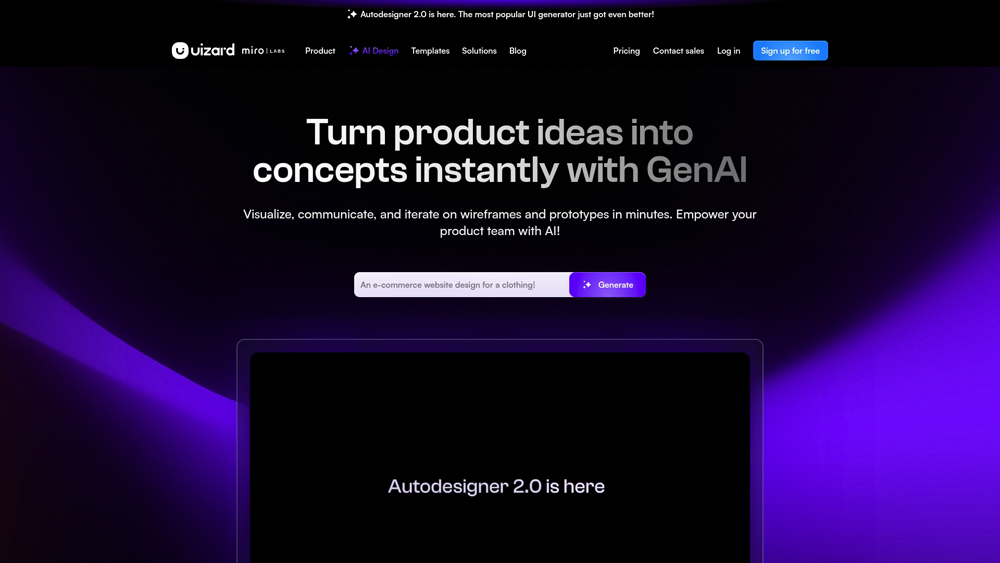
In-Depth Review & AI Design Analysis
Uizard has fundamentally shifted the product development lifecycle by introducing ‘Generative Design.’ We evaluate its strengths in rapid ideation, its ability to convert physical sketches into digital assets, and the performance of its Autodesigner 2.0 engine. This analysis focuses on how effectively Uizard handles the transition from a concept to a clickable, interactive prototype that can be shared with stakeholders for immediate feedback.
Key Takeaways: Pros, Cons & Quick Summary
This quick summary highlights why Uizard is the go-to for rapid prototyping and where it might fall short for advanced design teams.
Key Advantages (Pros)
- Sketch-to-Design: Best-in-class AI for turning paper drawings into editable digital UI elements.
- Autodesigner 2.0: Generates full, multi-screen app flows from simple text descriptions in seconds.
- Zero Learning Curve: Much more accessible than Figma or Adobe XD for non-designers.
- Instant Themes: Ability to extract brand styles (colors/fonts) from any URL or image and apply them to your project.
- Seamless Collaboration: Real-time editing and commenting make it ideal for remote product teams.
Potential Drawbacks (Cons)
- Export Limitations: While you can export code snippets (React/CSS), it doesn’t yet generate full production-ready codebases.
- AI Hallucinations: Occasionally generates illogical UI layouts or strange button placements in complex prompts.
- Pro Tier Required: Most of the ‘magic’ AI features are locked behind a paid subscription.
Core Features: GPT-4o Multi-Modal Mastery & Custom GPTs
Uizard offers a suite of AI-first features that drastically shorten the time from idea to prototype. We focus on the tools that provide the most value for product creators, including Autodesigner, Screenshot-to-Design, and advanced heatmapping.
-
Autodesigner 2.0: This is the core engine. By typing “a fitness app for tracking water intake,” Uizard builds the screens, buttons, and navigation for you, giving you a 90% head start on your design.
-
Screenshot-to-Design: Upload a screenshot of an app you admire, and the AI converts it into editable components. You can then change the buttons, text, and layout without starting from scratch.
-
AI Heatmaps & Attention: Before you even test with real users, Uizard can predict where users will look on your screen, allowing you to optimize your CTA placement instantly.
-
Smart Component Library: A massive library of drag-and-drop elements that automatically snap to grid and follow your project’s global style rules.
-
Interactivity & Hand-off: Link screens together with simple click-triggers to create a functional prototype that feels like a real app on a mobile device.
AI Engine & Design Innovation
Understanding the underlying AI engines (Autodesigner 2.0 and the Sketch-to-UI model) is critical to assessing how Uizard handles complex layout logic. The innovation within these models directly impacts the quality of generated prototypes, from component alignment to brand-consistent styling.
- Autodesigner 2.0: This proprietary engine is the backbone for generative design, capable of interpreting multi-step user journeys and translating them into logical, interconnected UI screens with functional navigation.
- Sketch-to-Design: This specialized computer vision model represents a leap in design accessibility, accurately recognizing hand-drawn shapes, wireframes, and text to convert them into editable digital vector components.
- Screenshot-to-Design: Using advanced image-to-UI processing, this feature allows users to deconstruct existing app interfaces, turning static screenshots into fully customizable layouts for rapid competitive analysis or iteration.
Performance, Speed & User Experience (UX)
Our performance testing for Uizard focuses on generation latency, component consistency, and the platform’s overall ease of use for non-designers. The user experience is rated on how effectively the AI removes technical barriers during the ideation phase.
- Generation Speed: Uizard’s AI models typically generate a full 5-screen app flow in under 30 seconds, drastically reducing the time spent on initial wireframing compared to manual design workflows.
- Interface & Design: The workspace is built for speed and simplicity, utilizing a drag-and-drop logic that feels familiar to anyone who has used presentation software. This approach minimizes the cognitive load for product managers and founders.
- Design Consistency: The system is robust in maintaining theme integrity; once a style is set, the AI ensures that new components or screens automatically inherit the correct color palettes, typography, and corner radiuses.
Uizard: 2026 AI UI/UX Design Pricing
The latest Uizard Autodesigner 2.0 provides generative design at scale. With a massive library of UI Components, AI-powered heatmapping, and the new Sketch-to-Design engine, it remains the most efficient tool for product managers and founders to visualize ideas.
FREEMost Popular$0
- Price: $0/mo
- Model: 3 AI Gens / Mo
- Core: Two Active Projects Plus Autodesigner 1.5 Access and Standard Component Library
- Best For: Individual Students and Hobbyists Learning Basic Visual Prototyping Workflows
BUSINESSMost Popular$39
- Price: $39/user/mo*
- Model: 5,000 AI Gens / Mo
- Core: Custom Brand Kits Plus Priority Support and Unlimited Organizational Project Storage
- Best For: Product Teams and Design Agencies Scaling Multiple Client Mockups Simultaneously
ENTERPRISEMost PopularCUSTOM
- Price: Custom Quote
- Model: Unlimited AI Gens
- Core: SSO Security Governance Plus Dedicated Account Management and Custom Design Systems
- Best For: Large Corporate Organizations Requiring Rigid Administrative Control and Security
Note: Prices marked with (*) reflect annual billing discounts; monthly Pro rates are typically $19/user. Advanced AI features like Autodesigner 2.0 and the Screenshot/Sketch Scanners consume generation credits which reset monthly. Business plans require a minimum seat count and annual commitment. Always verify the current credit-weighting for Heatmaps and Design Reviews in your Dashboard, as 2026 roadmap updates may shift usage caps.
Product Details
Uizard is essentially a shortcut for the UI/UX design process. It is the most intuitive tool available for non-designers to create high-fidelity prototypes, making it a top recommendation for product teams that need to iterate fast without getting bogged down in Figma complexity.
Platforms Supported
- Web / Cloud
- Mobile Web
Training
- Uizard Academy
- Documentation
Support
- Help Center
- Live Chat (Pro)

Prompt Colleague Score
Quick Facts
- Company: Uizard (A Miro Company)
- Best For: Rapid Prototyping & “Sketch-to-App”
- Latest Engine: Autodesigner 2.0 (Conversational AI)
- Key Feature: Screenshot-to-Editable (GenUI)
- Handoff: Export to React, Tailwind CSS, & Figma
- HQ: Copenhagen, Denmark
- Official Site: uizard.io
Pricing & Access (2026)
- Free Tier: 2 Projects + 3 AI Gens (Autodesigner 1.5)
- Pro Tier: $12/mo (500 AI Gens + Autodesigner 2.0)
- Business Tier: $39/mo (5,000 AI Gens + Custom Brand Kit)
- Enterprise: Custom (SSO + Unlimited Miro Sync)
- Best Value: Pro Tier (Perfect for Solo Founders)
Frequently Asked Questions (FAQ)
Yes, Uizard allows you to export your AI-generated designs directly to Figma. This makes it a perfect ‘starter’ tool where you can ideate fast with AI and then hand the files off to a professional designer for final polishing in Figma.
Not quite. Uizard provides CSS and React code snippets for individual components to help developers, but it is primarily a prototyping tool, not a full ‘no-code’ app builder like Bubble or FlutterFlow.
The free tier allows for 2 active projects and up to 10 free AI-powered ‘magic’ generations per month, which is plenty for a quick concept test or a small landing page ideation.
Yes. Uizard takes data security seriously, and on Business and Enterprise tiers, your designs and prompts are protected with enterprise-grade security standards. You retain full ownership of the prototypes you create.
Absolutely. Any prototype or UI design you generate in Uizard belongs to you. You can use it to pitch investors, show clients, or hand off to your development team for a commercial product launch.
Autodesigner builds an entire app journey from a text prompt. Screenshot-to-Design allows you to upload an existing picture or screenshot and turns that specific visual into an editable layout.
AI Design Workflows
The true power of Uizard lies in its ability to automate the repetitive parts of the design process. By leveraging Generative UI, teams can bypass the wireframing stage entirely. The platform’s AI-first approach is essential for rapid product discovery, allowing founders to visualize and test multiple directions for an app interface in a single afternoon, rather than weeks of manual drafting.
Product managers use Uizard to create high-fidelity ‘pitch-ready’ prototypes without needing a full-time designer. With integrations into the wider design ecosystem and the ability to convert hand-drawn logic into digital reality, Uizard serves as the foundational bridge between a product requirement document (PRD) and a finalized design hand-off.
Design & Prototyping Features:
- AI Autodesigner
- Wireframe Conversion
- UI Component Library
- Interactive Prototyping
- Sketch Recognition
- Theme Generation
- Asset Management
- Clickable User Flows
- Attention Heatmaps
- Figma Integration
- Real-time Collaboration
- Multi-device Preview
UI Design & Layout Features:
- Auto-Layout Engine
- Vector Editing
- Theme Generator
- Google Fonts Library
- Component Library
- Icon Library Integration
- Image Placeholder Gen
- Multi-layer Management
- Color Palette Extraction
- Grid System Support
- Stock Image Search
- SVG Export
UX & AI Intelligence:
- Autodesigner (Text-to-UI)
- Sketch-to-Design
- Screenshot-to-Design
- Attention Heatmaps
- AI Text Assistant
- Wireframe-to-HighFi
- Click-through Flows
- Automated Alignment
- User Testing Lab
- Design System Sync
- Code Handoff (Full)
- Variable Support
Collaboration & Export:
- Real-time Editing
- Shareable Links
- Inline Commenting
- Reviewer Mode
- PDF / PNG Export
- React Code Snippets
- CSS Snippets
- Figma Export
- Git Integration
- Advanced SSO
- Version History
Product Features In Detail:
Beyond its drag-and-drop editor, Uizard functions as an AI design partner. This section explores the specific tools, from sketch recognition to predictive heatmaps, that allow teams to move from concept to a clickable prototype at record speed. These features are designed to democratize high-end design for everyone.
The flagship feature: simply type a description of your app or website idea, and Uizard generates a full set of screens, including buttons, images, and text, tailored to your prompt.
Uizard can transform your hand-drawn wireframes into digital, editable designs. Just take a photo of your notebook sketch, upload it, and watch the AI convert it into a UI layout.
Use predictive AI to see where users will focus. The heatmap tool highlights ‘hot spots’ on your design, helping you place your most important calls-to-action where they will actually be seen.
Upload a screenshot of any existing app or website, and Uizard will instantly turn it into an editable project. This is perfect for redesigning existing products or studying competitor layouts.
Maintaining brand consistency is easy. You can generate a design theme based on an image, a style guide, or even a live URL. The AI ensures all components match your brand’s DNA.
The library contains thousands of pre-made UI components that are ‘AI-ready.’ Drag them into your project, and they will automatically adapt to your theme’s colors and fonts.
Share your prototypes via a simple URL. Stakeholders can view the design on their own devices, click through the journey, and leave specific comments directly on the components.
Uizard offers dedicated workspaces for teams, ensuring that your proprietary app concepts and internal design systems remain secure and private within your organization.
The Top 4 AI Tools: Our Editors' Picks for Instant Productivity!

ChatGPT
AI Assistants

Google Gemini
AI Assistants

Midjourney
Image Generators

Otter.ai
Meeting Assistants