

Descript Review 2026: The Ultimate AI-Powered Audio & Video Editor
Descript is an all-in-one AI media editor that simplifies the production process by treating audio and video like a text document. Its standout feature, Overdub, allows users to generate ultra-realistic voice clones or fix mistakes in recordings just by typing. By unifying transcription, multitrack editing, and AI voice synthesis, Descript enables creators, podcasters, and businesses to produce studio-quality content in a fraction of the usual time.
Product Features In Detail:
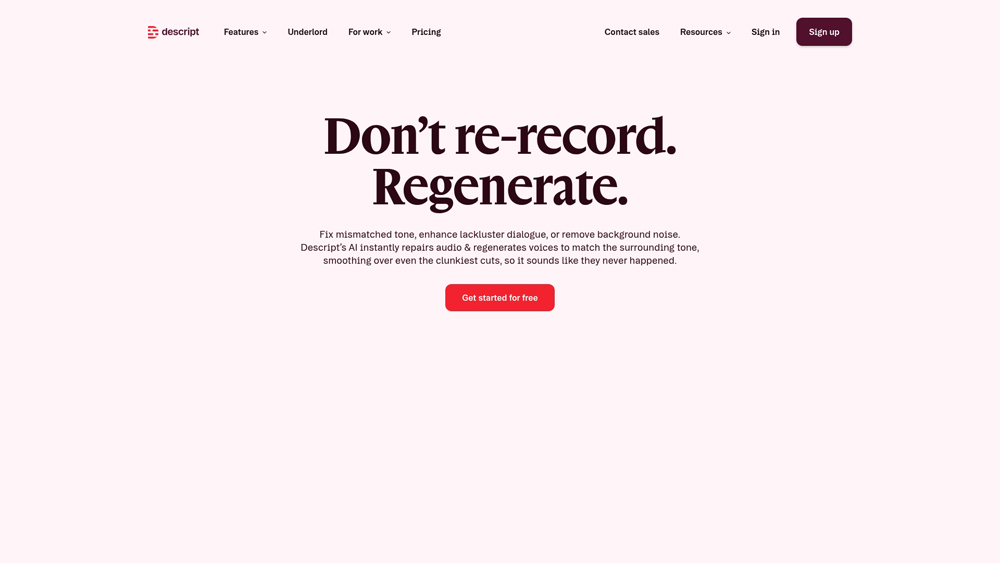
In-Depth Review: Overdub & The Underlord AI Suite
Descript has moved far beyond simple transcription to become a comprehensive production hub. We evaluate its primary strengths in generative AI voice (Overdub), its intelligent automated assistant (Underlord), and the seamless collaborative environment it provides for video teams. This review explores how Descript bridges the gap between traditional DAWs and modern AI-first creative workflows.
Key Takeaways: Pros, Cons & Quick Summary
This quick summary highlights why Descript is the go-to choice for script-heavy media production and where it might fall short for advanced sound designers.
Key Advantages (Pros)
- Innovative Script-Based Editing: Edit video and audio by simply deleting or moving text in the transcript.
- Ultra-Realistic Overdub: Create a digital voice clone to generate new dialogue without re-recording.
- One-Click Filler Word Removal: Automatically detects and removes “um,” “uh,” and “like” from your entire project.
- Studio Sound AI: Transforms poor-quality microphone recordings into professional studio-grade audio.
- Regenerative Audio: Fixes clipped or distorted audio segments using AI to rebuild the waveform.
Potential Drawbacks (Cons)
- Learning Curve: The non-traditional editing interface can be confusing for veteran film or audio editors.
- Transcription Accuracy: Performance can dip with heavy accents or significant background noise, requiring manual correction.
- Resource Intensive: The desktop app requires significant RAM and CPU power for long-form video projects.
Core Features: Overdub Voice Synthesis & Underlord AI
Descript offers a centralized workspace where AI does the “grunt work.” By 2026, its ‘Underlord’ assistant has become a core component, managing everything from viral clip generation to multi-camera synchronization.
-
Overdub Voice Cloning: Generate text-to-speech audio using your own voice. It’s ideal for fixing flubbed lines or adding extra information to a podcast after the guest has left the studio.
-
Underlord AI Assistant: A powerful sidekick that summarizes transcripts, suggests social media captions, removes eye contact issues, and creates ‘Social Clips’ for TikTok and Reels automatically.
-
Eye Contact Correction: A specialized AI video effect that makes it appear as though the speaker is looking directly at the lens, even if they were reading notes off-camera.
-
Multitrack Transcription: Seamlessly handles multiple speakers, automatically labeling them and aligning their audio tracks for a perfect, searchable transcript.
-
Green Screen & Background Removal: Instantly remove backgrounds from video without the need for physical equipment, powered by advanced computer vision.
Voice Innovation & Ethics
The Overdub technology is built on a foundation of ethical AI use. Unlike other “deepfake” tools, Descript requires a “Voice ID” verification to ensure users only clone voices they have permission to use.
- Personalized Stock Voices: Access a library of high-quality professional voices if you don’t want to use your own, complete with emotional ranges from “Happy” to “Authoritative.”
- Non-Destructive Editing: Descript keeps your original files safe. Any AI enhancement or text-based edit can be toggled on or off, allowing for complete creative control.
- Collaborative Cloud Editing: Teams can jump into a project simultaneously, making it the “Google Docs of Video Production.”
Performance & Export Quality
Descript is built for speed. Its export pipeline is optimized for modern social platforms, supporting various aspect ratios and 4K resolution.
- Studio Sound Latency: While the AI processing for ‘Studio Sound’ used to take minutes, the 2026 version provides a near-instant preview, allowing you to hear the professional results immediately.
- Direct Publishing: One-click publishing to platforms like YouTube, Riverside, and various podcast hosting services streamlines the final steps of production.
- Searchable Projects: Because every project is a transcript, you can search for a single word across years of recordings to find exactly the clip you need.
Descript Pricing & Production Value
Descript’s 2026 pricing model reflects its power as an AI workstation. They have moved to a dual-metered system: Media Hours (for recording/uploading) and AI Credits (for advanced tasks like Eye Contact Correction and Studio Sound). The Creator tier remains the industry standard for high-quality 4K output.
FREEThe Test Drive$0
- Media: 1 Hour / Mo
- AI Credits: 100 (One-time)
- Underlord: Basic Access
- Export: 720p (Watermarked)
HOBBYISTCasual Creators$16
- Media: 10 Hours / Mo
- AI Credits: 400 / Mo
- Underlord: Full AI Suite
- Export: 1080p (No Watermark)
BUSINESSPower Teams$50
- Media: 40 Hours / Mo
- AI Credits: 1,500 / Mo
- Feature: Brand Kits & SSO
- Support: Priority Priority
PRO TIP: Watch your AI Credits! In 2026, heavy-duty tasks like “Eye Contact Correction” and “Regenerative Studio Sound” consume credits faster than simple transcription. If you run out, Descript offers “Top-up” packs, but upgrading to the next tier is usually more cost-effective if you edit daily.
The Underlord Agent Advantage
Descript’s Underlord is the first true AI video agent. Unlike standard editors where you manually select tools, Underlord proactively scans your footage to suggest the best viral hooks. The 2026 “Studio Sound V3” now uses regenerative synthesis rather than simple noise gating, meaning it can literally reconstruct missing frequencies in your voice to make a phone recording sound like it was captured on a $1,000 Shure SM7B. For creators who “hate editing,” this is the ultimate force multiplier.
Platforms Supported
- Cloud (Browser)
- Windows
- Mac (Intel & Apple Silicon)
Training
- Descript Academy
- Video Tutorials
Support
- Email / Ticket
- Community Forum

Prompt Colleague Score
Quick Facts
- Company: Descript, Inc.
- Latest Model: Underlord (Agentic AI)
- Best For: Script-Based Video Editing
- Vocal Features: Regenerate & Overdub
- Recording: 4K Remote Recording
- Free Tier: Yes (60 mins Media)
- Official Site: descript.com
Pricing & Access (2026)
- Free Plan: $0 (60 Media Mins)
- Hobbyist Plan: $16/mo (10 Hours)
- Creator Plan: $24/mo (30 Hours)
- Business Plan: $50/mo (40 Hours)
- Best Value: Creator (4K Export)
Frequently Asked Questions (FAQ)
Overdub is Descript’s state-of-the-art AI voice cloning feature. It works by analyzing a small sample of your recorded voice (your Voice ID) to create a digital clone. Once created, you can simply type new text into your script, and Descript will generate audio in your voice that blends seamlessly with your original recording.
Yes, Descript offers a free tier that includes 1 hour of transcription per month and one watermark-free video export. However, professional features like high-fidelity Overdub voice cloning and the full Underlord AI suite generally require a Creator or Pro subscription.
Studio Sound is an AI-driven regenerative tool that removes background noise, echo, and room tone while enhancing your voice’s frequencies. It can make a recording done on a laptop microphone in a noisy room sound like it was captured in a professional sound booth.
Yes, as long as you have a paid subscription and have verified your Voice ID, you own the rights to the content you generate. For enterprise teams, Descript offers dedicated security and legal frameworks to ensure your voice clones are used ethically and safely within your organization.
Filler words are verbal tics like ‘um,’ ‘uh,’ and ‘you know.’ Descript’s AI automatically identifies these in your transcript. With one click, you can delete them from the script, and Descript perfectly edits the underlying audio and video for a smooth, professional result.
Descript is a full-featured video editor. You can edit video by editing text, add captions, incorporate transitions, and use AI features like ‘Green Screen’ background removal and ‘Eye Contact’ correction to polish your visual content.
Descript Media & Voice APIs
The professional power of Descript’s engine is accessible via its sophisticated media processing infrastructure. The 2026 API ecosystem allows developers to integrate ‘Underlord’ intelligence directly into third-party apps, enabling automated transcription, high-speed Studio Sound processing, and programmatic Overdub generation. This is critical for platforms requiring mass-scale audio cleanup and synthetic voice production across global content delivery networks.
Enterprise developers utilize Descript’s customizable endpoints to automate high-volume video clipping, build custom CMS integrations, and deploy AI-driven localization workflows. By leveraging these programmatic tools, organizations can ensure consistent audio quality and voice branding across thousands of assets without manual intervention, making it the foundational core for modern automated media production.
AI Audio & Video Capabilities:
- AI Voice Cloning
- For Podcasting
- For Marketing Teams
- For eLearning
- Multilingual Transcription
- Automated Filler Removal
- Workflow Automation
- Virtual Recording Booth
- Green Screen AI
- Overdub (Voice Synthesis)
- Social Clip Generator
- Studio Sound Enhancement
Editor Features:
- Script-Based Editing
- Multitrack Timeline
- Sentiment/Tone Analysis
- Large Project Support
- Dynamic Captions
- Collaborative Projects
- AI Storyboarding
- Remote Recording Integrations
- Export to DAW
- Direct Hosting/Publishing
- Reporting / Usage Metrics
- Stock Media Library
Voice Generation AI:
- Voice ID Verification
- Multi-Voice Projects
- Script Synchronization
- Emotion Modulation
- Ultra-Low Latency Previews
- Neural Voice Models
- Cross-Speaker Alignment
- Speech-to-Speech Refinement
- Custom Pronunciation Library
- Visual Waveform Editing
- Speech Recognition
- Speech Synthesis
- Automated Dubbing
Media Transformation:
- Underlord Clips
- SEO Transcripts
- Subtitle Generation
- Context-Aware Trimming
- Eye Contact Correction
- Background Noise Suppression
- Multi-Platform Aspect Ratios
- Global Language Support
Natural Language Processing (NLP):
- Auto-Punctuation
- Token-Based Editing
- Nuance & Emphasis Mapping
- Speaker Identification
- Dynamic Vocabulary Learning
- Real-Time Transcription
- Accurate Dialect Parsing
- Grammar Correction
- Script Summarization
Product Features In Detail:
Descript isn’t just an editor; it’s a media-centric intelligence platform. This FAQ and feature breakdown details how the Overdub engine and Underlord assistant work together to eliminate manual editing hurdles. Whether you are correcting a podcast script, generating social media clips, or polishing corporate training videos, these features demonstrate how Descript uses AI to give creators studio-grade results with the simplicity of a word processor.
Overdub is Descript’s flagship AI. By providing a voice sample, you can generate a digital clone that lets you ‘write’ audio. If you missed a sentence in your recording or need to change a date mentioned in a video, you just type the correction and Overdub generates the audio in your voice instantly.
Underlord is your personal AI producer. It can automatically find the most engaging moments in a long video to create viral social clips, remove filler words, fix eye contact, and even write your show notes or YouTube descriptions based on your transcript.
This ‘one-click’ feature uses deep learning to rebuild the audio quality of a recording. It isolates the human voice and removes environmental noise, echo, and distortion, making a phone call or zoom recording sound like it was captured in a studio.
Descript’s NLP engine scans your media for ‘ums’, ‘uhs’, and other repetitive tics. You can delete them individually or all at once, and the editor automatically stitches the audio and video back together so seamlessly that the cut is invisible.
Unlike traditional timelines, Descript lets you edit video by editing text. If you delete a sentence from the transcript, the corresponding video clip is removed. This makes rough-cutting interviews and speech-heavy content 10x faster than traditional methods.
If you were reading a script slightly off-camera, Descript’s AI can digitally realign your pupils to look directly at the lens. This creates a much more engaging experience for the viewer without requiring a teleprompter or a re-shoot.
Descript can generate highly accurate, animated captions that follow the speaker’s voice. You can fully customize fonts, colors, and layouts to match your brand, making it an essential tool for creating accessible social media content.
For audio that is clipped or has sudden loud noises (like a door slam) over a speaker’s voice, Descript uses regenerative AI to ‘fill in the gaps.’ It rebuilds the damaged parts of the audio using the speaker’s unique vocal profile.
The Top 4 AI Tools: Our Editors' Picks for Instant Productivity!

ChatGPT
AI Assistants

Google Gemini
AI Assistants

Midjourney
Image Generators

Otter.ai
Meeting Assistants