

Speechify Review 2026: The Leading AI Voice & Text-to-Speech Tool
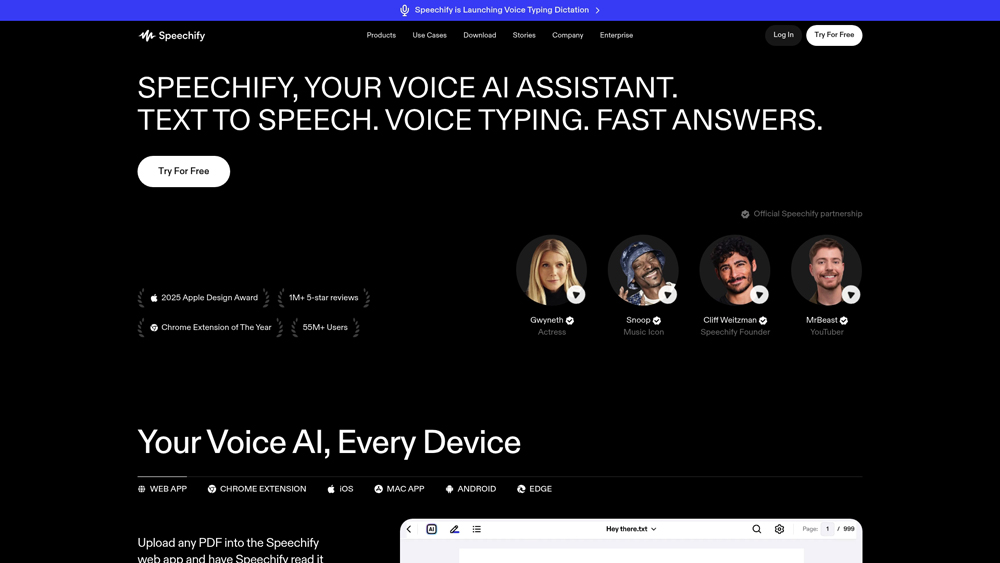
Speechify is an industry-leading AI text-to-speech (TTS) and voice generation platform designed to increase productivity by turning any text into high-quality audio. Whether you are a student with dyslexia, a busy professional multitasking, or a content creator needing natural AI voiceovers, Speechify offers a massive library of realistic voices, including celebrity options like Snoop Dogg and Gwyneth Paltrow. It works across web browsers, mobile apps, and desktop environments to make reading and listening seamless.
In-Depth Review & Audio Analysis
Speechify has revolutionized the way we consume written content. We evaluate its primary strengths across voice realism, OCR (Optical Character Recognition) accuracy, and cross-platform sync. By testing its 2026 neural engines, we look at how Speechify handles technical jargon and high-speed listening, ensuring it meets the needs of high-performance learners and professional creators alike.
Key Takeaways: Pros, Cons & Quick Summary
This quick summary highlights the standout pros and potential drawbacks of using Speechify for your personal or professional audio needs.
Key Advantages (Pros)
- Ultra-Realistic Voices: Features high-fidelity neural voices and exclusive celebrity partnerships that reduce listener fatigue.
- Powerful OCR Technology: Instantly scan physical books or PDFs and convert them into speech with high accuracy.
- Speed Optimization: Support for listening speeds up to 9x (900 wpm) for rapid information consumption.
- Cross-Device Sync: Start listening on your desktop and pick up exactly where you left off on your mobile phone.
- Diverse Language Support: Supports over 30 languages and dozens of accents for global usability.
Potential Drawbacks (Cons)
- Premium Pricing: The best voices (including celebrity ones) are locked behind the Premium subscription.
- Limited Free Features: The free tier is quite restrictive regarding voice quality and monthly word counts.
- UI Can Feel Crowded: With many upsells and features, the mobile interface can occasionally feel overwhelming for new users.
Core Features: Neural Voices & AI Studio Capabilities
Speechify offers a robust toolset that goes beyond simple reading. Its 2026 feature set includes advanced AI voice cloning and a full-scale AI Studio for content creators who need professional-grade voiceovers for video and social media.
-
Celebrity Neural Voices: Access to exclusive, licensed voices that provide a more engaging and familiar listening experience than standard robotic TTS systems.
-
AI Voice Studio: A dedicated workspace for creators to generate voiceovers with granular control over pitch, emphasis, and pauses—perfect for YouTube and TikTok content.
-
Browser Extension Integration: One-click “Play” functionality for Chrome and Safari that turns any news article, email, or Google Doc into a podcast-like experience.
-
PDF & Document Upload: Seamless handling of complex layouts, automatically skipping headers, footers, and page numbers to provide a continuous audio stream of the core text.
-
Speechify Voice Cloning: High-end capability to clone your own voice or a specific brand voice to maintain consistency across all audio communications.
Voice Technology & AI Innovation
The core of Speechify’s value lies in its proprietary neural network architecture. These models are trained to understand the emotional context of a sentence, allowing the AI to adjust its intonation based on the content being read.
- High-Definition Audio: Unlike older TTS models, Speechify utilizes high-bitrate audio generation to ensure voices sound crisp and natural even at high speeds.
- Contextual Awareness: The AI can differentiate between words that are spelled the same but pronounced differently (homographs) by analyzing the surrounding sentence structure.
- Multi-Language Fluency: Speechify’s 2026 update includes advanced dialect detection, allowing users to hear Spanish in a Castilian or Mexican accent with native-level accuracy.
User Experience (UX) & Mobile Accessibility
Speechify’s UX is designed for the “power listener.” The interface prioritizes controls that allow for immediate customization of the audio experience without interrupting the flow of information.
- Intuitive Mobile Player: The mobile app acts as a dedicated audio player, allowing for background play, lock-screen controls, and easy navigation through chapters of long documents.
- Visual Tracking: As the AI reads, Speechify highlights the corresponding text on the screen, a feature proven to improve retention and help users with ADHD or dyslexia stay focused.
- Offline Mode: Premium users can download their documents and AI voices for offline use, making it ideal for commutes or flights where internet access is limited.
Speechify Pricing & Production Value
Speechify differentiates between Consumption (Reading) and Creation (Studio). While the Premium tier is the gold standard for individuals with dyslexia or high-volume readers, the Studio plan is built for professional content creators who need commercial rights and celebrity voiceovers.
FREEBasic Reading$0
- Voices: 10 Standard Voices
- Speed: Up to 1.5x
- Features: Listen on Web/iOS
- License: Personal Only
STUDIOContent Creation$239
- Usage: 50+ Hours / Year
- Rights: Full Commercial
- Export: High-Fi WAV/MP3
- Feature: AI Video Dubbing
ENTERPRISETeam & APICustom
- API: Low Latency Access
- Collaboration: 5+ Editor Seats
- Security: SSO & Compliance
- Support: 24/7 Dedicated
PRO TIP: Speechify frequently offers “Flash Sales” for the Premium plan that can drop the price by 30-40%. If you are a student or educator, check for the .edu discount. Note that the Studio plan and Premium plan are separate subscriptions, owning Premium does not grant commercial rights for voiceover work.
The Celebrity V3 Advantage
In 2026, Speechify’s Celebrity V3 models are the only licensed celebrity voices on the market that support Dynamic Emotion Switching. This means you can have a Snoop Dogg narration that actually sounds “hyped” during an intro and “chill” during the outro. Furthermore, their OCR (Optical Character Recognition) tech has improved to the point where it can transcribe hand-written notes from a photo and turn them into a clear, high-quality audio file in under 5 seconds.
Platforms Supported
- Chrome Extension
- Windows Desktop
- Mac OS
- iPhone / iOS
- iPad / Tablet
- Android
Training
- Video Tutorials
- Help Center
Support
- 24/7 Chat
- Email Support

Prompt Colleague Score
Quick Facts
- Company: Speechify Inc.
- Latest Feature: Celebrity V3 (Hyper-Realism)
- Best For: High-Speed Reading & Accessibility
- Platform: iOS, Android, Chrome, Mac, Web
- Voices: 200+ (Including Snoop Dogg & MrBeast)
- Free Tier: Yes (Standard TTS)
- Official Site: speechify.com
Pricing & Access (2026)
- Free Plan: $0 (Basic TTS)
- Premium: ~$11.50/mo (Billed Yearly)
- Studio Plan: $239/yr (Professional VO)
- Enterprise: Custom (Large Teams)
- Best Value: Premium (for Speed Reading)
Speechify Frequently Asked Questions (FAQ)
Yes, Speechify features powerful OCR (Optical Character Recognition) technology. You can scan physical pages using the mobile app or upload PDFs to the desktop/web version, and the AI will convert the text into high-quality audio instantly.
Speechify offers a free tier that includes access to 10 standard reading voices and basic TTS functionality. However, it is limited to slower reading speeds, lacks celebrity voices, and does not support the advanced ‘skip’ features found in the Premium version.
As of 2026, Speechify supports over 30 languages and a vast array of regional accents. This allows users to listen to content in their native tongue or use the tool as a language-learning aid to hear correct pronunciations.
To use Speechify voices for commercial purposes, such as YouTube videos or advertisements, you must subscribe to the ‘Voice Over’ or ‘Business’ plan. These tiers provide the necessary licensing and commercial usage rights for your generated content.
While Speechify cannot directly ‘unlock’ DRM-protected files, it can read any non-protected text, documents, or web articles. Many users export their notes or use the browser extension to read Kindle Cloud Reader content directly in their browser.
Speechify is famous for its speed capabilities. While the free version has limits, Premium users can increase the reading speed up to 900 words per minute (approximately 9x), which is ideal for rapid information processing.
AI Voice Generation & TTS APIs
The professional utility of Speechify extends deep into the developer ecosystem. The Speechify API provides programmatic access to their world-class neural TTS engine, allowing enterprises to integrate natural-sounding voices into their own applications, hardware, or internal tools. In 2026, the API has expanded to include low-latency streaming and real-time translation layers, making it the backbone for global accessibility solutions.
Developers utilize these endpoints to automate high-volume content production, create voice-enabled customer service bots, and build educational platforms that cater to diverse learning needs. With robust documentation and support for major programming languages, the Speechify API ensures that any digital interface can speak with a human-like, engaging tone.
Speechify Voice Intelligence:
- Text-to-Speech
- Dyslexia Support
- Audiobook Creator
- Speed Reading
- 30+ Languages
- Neural Voice Engines
- Automated Workflow
- Personal Audio Assistant
- OCR Text Scanning
- Voice Cloning
- Multi-device Sync
- Document Analysis
AI Audio Features:
- Deep Learning Voices
- Natural Prosody
- Emotion Detection
- Large Word Limits
- Accent Localization
- Audio Editing Suite
- Content Narration
- Celebrity Voice Mode
- PDF Parsing
- Offline Listening
- Advanced Analytics
- MP3 Export
Conversational Audio:
- Voice Intent
- Dialect Support
- Interactive Reading
- Pre-set Audio Profiles
- Audio Sentiment
- AI Dubbing Workflows
- Pronunciation Library
- Real-Time Voice Rendering
- Audio Outcome Optimization
- Acoustic Reasoning
- High-Speed Audio
- Speech Synthesis
- Audio Guide Assistant
Natural Language Voice Generation:
- Voiceover Creation
- Audio SEO
- Web Content to Audio
- Multimodal Audio Synthesis
- High-Fidelity Voiceover
- Tone-Aware Speech
- Podcast Generation
- Global Accent Support
Speech Processing Technology:
- Phonetic Lemmatization
- Audio Tokenization
- Emotional Prosody Detection
- Cross-Document Sync
- Cloud Audio Integration
- Real-Time Neural TTS
- Dialect Adaptation
- Syntax Parsing
- Semantic Audio Tagging
- Audio Segmentation
Product Features In Detail:
Beyond its core text-to-speech engine, Speechify functions as a comprehensive productivity suite for learners, professionals, and creators. This detailed section outlines the advanced features that make Speechify the premier choice for auditory learning, content narration, and accessible document management. Whether you are scaling a business or overcoming reading challenges, these tools provide a significant efficiency advantage.
Speechify sets itself apart with exclusive, licensed celebrity voices. Users can listen to their documents or news articles being read by Snoop Dogg, Gwyneth Paltrow, or MrBeast, making the listening experience significantly more engaging and less robotic.
Speechify’s mobile app turns your phone into a high-powered scanner. Using advanced OCR, it can recognize text on physical pages, even in poor lighting or with handwritten notes, and convert it to audio in seconds.
With Speechify, your library is truly portable. Any article saved on the Chrome extension is instantly available on your iOS or Android app, allowing you to switch from reading at your desk to listening in your car without losing your place.
For content creators and businesses, Speechify offers state-of-the-art voice cloning. By providing a short sample, you can create a digital replica of your own voice to use for narrated content, training videos, or personalized messaging.
The Speechify AI Studio allows users to create professional voiceovers for video content. It includes features for AI dubbing, allowing you to translate your video audio into multiple languages while maintaining the original speaker’s tone.
To ensure a smooth listening experience, Speechify automatically filters out “junk” text. It can intelligently skip citations, headers, footers, and page numbers, focusing only on the core content of your PDFs and documents.
Built by a founder with dyslexia, the platform includes specialized visual tools. Alongside the audio, users can choose dyslexia-friendly fonts and use a reading ruler that tracks the spoken text to improve focus and comprehension.
Speechify is built for high-performance learners. It supports listening speeds up to 900 words per minute. Research shows that listening while reading can significantly increase retention and speed for those trained in high-speed audio consumption.
The Top 4 AI Tools: Our Editors' Picks for Instant Productivity!

ChatGPT
AI Assistants

Google Gemini
AI Assistants

Midjourney
Image Generators

Otter.ai
Meeting Assistants