

Fathom AI Review 2026: The Leading Free AI Meeting Assistant
Fathom is an AI-powered meeting assistant designed to record, transcribe, highlight, and summarize your video calls. Known for its industry-leading free tier, Fathom integrates natively with Zoom, Microsoft Teams, and Google Meet. It allows users to focus entirely on the conversation while the AI handles note-taking, action items, and CRM syncing. By providing instant access to searchable transcripts and video highlights, Fathom streamlines post-meeting workflows for individuals and scaling teams alike.
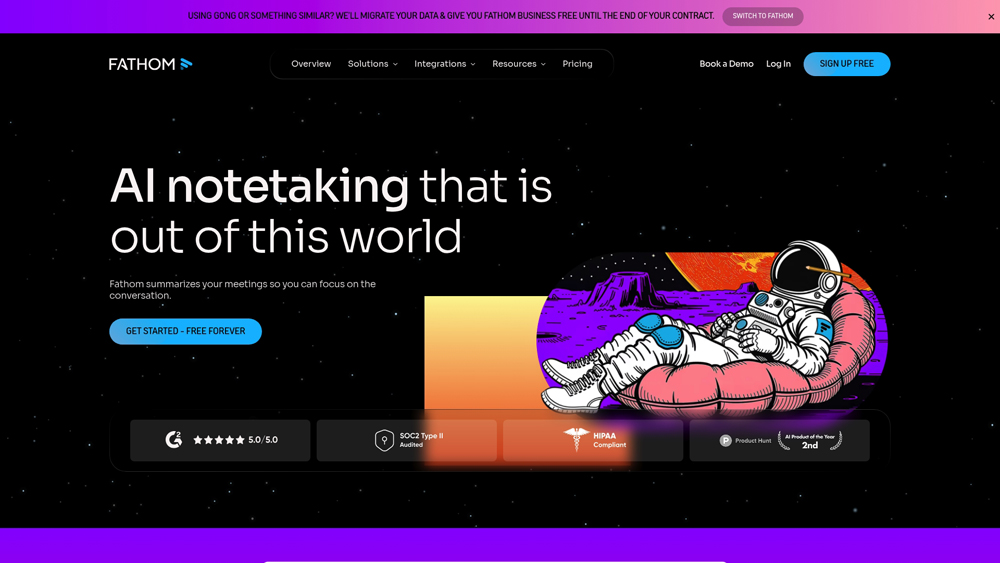
In-Depth Review & Capability Analysis
Fathom AI has redefined expectations for meeting productivity by offering unlimited recording and transcription without the typical minute-caps found in competitors. We evaluate its performance based on its lightning-fast summary generation, native integration with major conferencing platforms, and its specialized focus on “high-signal” moments through manual and AI-powered highlighting. This analysis explores how Fathom balances simple individual utility with growing enterprise-level intelligence.
Key Takeaways: Pros, Cons & Quick Summary
This quick summary outlines why Fathom is often the first choice for Zoom users and where it may fall short for global, multi-platform enterprises.
Key Advantages (Pros)
- Best-in-Class Free Tier: Truly unlimited recording and transcription time for individuals, a rarity in the AI space.
- Instant Summaries: Generates structured notes and action items in under 30 seconds after a meeting ends.
- Superior CRM Sync: Native, deep integrations with HubSpot, Salesforce, and Close to auto-populate meeting data.
- Privacy-Centric Design: SOC2, GDPR, and HIPAA compliance with granular controls over who can view call recordings.
- One-Click Highlights: Allows users to “mark” key moments during the live call to instantly create video clips for sharing.
Potential Drawbacks (Cons)
- No Offline Support: Unlike Otter, Fathom cannot record in-person meetings or upload existing audio/video files for transcription.
- Limited Mobile Capabilities: Lacks a feature-complete mobile app for recording calls directly on a smartphone.
- Bot-Heavy UX: The requirement for a visible “Fathom Notetaker” bot can sometimes be distracting for participants who prefer invisible recording.
Core Features: AI Summaries & CRM Automation
Fathom focuses on the “after-meeting” experience, ensuring that users never have to manually type up notes or update their CRM again. Its feature set is built specifically for sales reps, recruiters, and project managers who live in Zoom, Teams, or Meet.
- Unlimited Free Recording: Fathom’s standout feature is the ability to record, transcribe, and store an unlimited number of meetings for free, with no cap on meeting length.
- Ask Fathom Assistant: A conversational AI that lets you query your entire meeting history. You can ask “What did the client say about the budget in the last three calls?” and get an instant cited answer.
- AI-Generated Action Items: The system automatically identifies commitments made during the call and categorizes them into a task list, which can be synced directly to Asana, Todoist, or Slack.
- Video Clips & Playlists: Users can easily snip important parts of a meeting to share with colleagues or clients, and organize these clips into “Playlists” for training or project handovers.
- Native CRM Integration: Automatically pushes summaries and tasks into matching Contacts and Accounts in Salesforce and HubSpot, ensuring the “source of truth” is always updated.
Transcription Accuracy & Language Support
While Fathom is praised for its speed, its accuracy remains highly competitive with other transcription giants. The underlying engine is optimized for the specific audio quality of VOIP platforms like Zoom.
- 95% Accuracy: In standard office environments, Fathom matches industry benchmarks for accuracy, though it can struggle slightly more than Otter with heavy accents or significant background crosstalk.
- Multilingual Support: Fathom supports transcription in 28+ languages, making it a viable tool for international teams, though its advanced AI summary features are currently most robust in English.
- Speaker Identification: The tool is excellent at differentiating between participants, correctly attributing quotes to the right person based on the conferencing platform’s metadata.
Performance, Speed & User Experience (UX)
Fathom’s UX is built around “simplicity first.” The desktop application is lightweight and stays out of the way until the meeting ends, at which point it becomes a powerful editing and sharing suite.
- Zero-Latency Processing: Unlike many tools that require a “processing” wait time, Fathom’s transcript and initial summary are often ready before you’ve even closed your Zoom window.
- Clean Dashboard: The web dashboard uses a minimalist layout to organize meetings, allowing for global search across all transcripts to find specific keywords or themes instantly.
- Onboarding: Setup is remarkably fast; connecting a Zoom or Google account takes less than two minutes, and the “Auto-Join” settings allow for a set-it-and-forget-it experience.
Fathom Pricing & Professional Value
The 2026 pricing model maintains Fathom’s “Free Forever” disruptive edge while introducing advanced Premium and Business tiers for organizations requiring “Ask Fathom” intelligence, coaching analytics, and enterprise-grade CRM workflows.
FREEFREE FOREVER$0
- Price: $0/mo
- Minutes: Unlimited
- AI Summaries: Basic (Chronological)
- Best For: Solo Professionals
TEAMFOR COLLABORATION$14
- Price: $14/user* (min 2)
- Folders: Shared Team Repository
- Intelligence: Global Search
- Best For: Small Teams
BUSINESSENTERPRISE SCALE$20
- Price: $20/user*
- Security: SSO & Compliance
- Analytics: Deal View & Coaching
- Best For: Scaled Organizations
*Note: Prices reflect annual billing discounts. Fathom’s free tier offers unlimited recording and transcription, but advanced features like “Ask Fathom” and automated Action Item detection across all calls typically require a paid subscription. Always verify the latest costs at fathom.video/pricing.
Platforms Supported:
- Cloud
- Windows
- Mac
- Zoom
- Google Meet
- MS Teams
Training:
- Knowledge Base
- Video Tutorials
Support:
- Online Chat
- Email Support

Prompt Colleague Score
Quick Facts
- Company: Fathom Video Inc.
- Best For: High-Velocity Sales & Individuals
- Latest Model: Ask Fathom (Semantic Search)
- CRM Support: HubSpot, Salesforce, Close, Asana
- Language Support: 30+ Languages
- Headquarters: San Francisco, CA
- Official Site: fathom.video
Pricing & Access (2026)
- Free Forever: $0 (Unlimited Record/Transcribe)
- Premium: $16/mo* (Ask Fathom & Custom Summaries)
- Team: $14/mo* per user (Min 2 users)
- Business: $20/mo* (Deal View & Coaching)
- Value Pick: Free Plan (Best in market for individuals)
Frequently Asked Questions (FAQ)
Yes, Fathom offers an industry-leading free tier that includes unlimited recording, transcription, and summaries for individuals. There are no “minutes-per-month” caps, which makes it the most generous free tool in the category.
Fathom works natively with Zoom, Microsoft Teams, and Google Meet. It joins your calls as a visible “Notetaker” bot to capture high-quality audio and video for processing.
No, Fathom is designed specifically for virtual meetings. It requires a supported video conferencing platform to function and does not currently support direct audio uploads or mobile voice recording like Otter.ai does.
Yes, Fathom has deep native integrations with HubSpot, Salesforce, and Close. It can automatically push meeting summaries and action items into the correct contact records, saving hours of manual data entry.
Fathom is SOC2 Type II compliant and offers end-to-end encryption. Your recordings are private by default, and you have granular control over who can view or share meeting highlights within your organization.
Fathom supports transcription in over 28 languages. While the AI-generated summaries are most advanced in English, the platform continues to expand its multilingual summary capabilities in 2026.
Fathom AI & Automation Architecture
The core strength of Fathom lies in its seamless post-meeting automation. By utilizing advanced LLMs (Large Language Models), Fathom identifies “high-signal” moments during a call and transforms them into structured data. In 2026, the introduction of ‘Team Centric’ workflows allows managers to track keyword mentions and sentiment trends across all sales calls, providing a bird’s-eye view of customer needs without watching a single video.
For power users, Fathom’s ‘Ask Fathom’ feature acts as a cross-meeting search engine. This allows users to query their entire historical database of conversations to find specific objections, feature requests, or project updates. This semantic search capability turns thousands of hours of video into a searchable, actionable knowledge base for the entire company.
Meeting Intelligence Features:
- AI Notetaker Bot
- For Sales Teams
- For Recruiters
- For Customer Success
- Multi-Language Support
- Automatic Speaker ID
- CRM Workflow Automation
- Searchable Transcripts
- Video Highlighting
- Action Item Extraction
- Keyword Alerts
- Slack/Teams Integration
Recording & Transcription Capabilities:
- HD Video Recording
- Real-time Transcription
- Sentiment Analysis
- Infinite Storage
- Summarization Templates
- Timestamped Notes
- Cross-Meeting Search
- Desktop Call Recording
- In-Person Recording
- Mobile App Recording
- Offline Mode
- Audio File Uploads
Collaboration & Sharing:
- One-Click Highlight Clips
- Meeting Playlists
- Public Share Links
- Password Protection
- Bulk Video Exports
- Team Folders
- Comment Threads on Video
- AI Coaching Insights
- HubSpot/Salesforce Sync
- Zapier Integration
- White-Label Branding
- Live Meeting Translation
- Custom Bot Avatars
Product Features In Detail:
Fathom is more than a simple recorder; it is a workflow engine designed to eliminate manual note-taking. This section breaks down the specific capabilities of its AI suite, from CRM automation to advanced team analytics, illustrating why it’s a favorite for sales and success teams worldwide.
Fathom’s primary disruption is its “Free Forever” model for individuals. You can record 100 meetings a month or 1,000—the core transcription and storage remain free, making it highly accessible for startups and freelancers.
Think of this as ChatGPT for your meetings. You can ask the assistant to “summarize the technical objections from today’s call” or “list all pricing mentioned,” and it will extract the exact data with clickable video timestamps.
Fathom doesn’t just summarize; it formats your notes specifically for Salesforce or HubSpot. With one click, it updates your CRM deal stages and logs the call notes, ensuring your pipeline is always accurate without manual typing.
Different meetings need different notes. Fathom allows you to choose from templates like ‘Sales Discovery,’ ‘Team Sync,’ or ‘Project Kickoff,’ so the AI structures the summary exactly how you need it for that specific context.
Instead of sharing a 60-minute video, you can snip the “Golden Nuggets.” These highlights can be grouped into playlists, perfect for onboarding new hires or showing a product manager exactly what a customer complained about.
Managers can set alerts for specific keywords (e.g., “competitor name” or “pricing”). Whenever these are mentioned in any team meeting, Fathom sends a notification, allowing for proactive coaching and market intelligence.
Security is a major focus for Fathom. It meets the high standards required for medical and legal industries, ensuring that sensitive conversations are stored with enterprise-grade encryption and privacy safeguards.
Fathom can be set to automatically join any meeting on your calendar that has a Zoom/Meet/Teams link. You don’t have to remember to “invite” the bot; it simply shows up and starts working the moment the call begins.
The Top 4 AI Tools: Our Editors' Picks for Instant Productivity!

ChatGPT
AI Assistants

Google Gemini
AI Assistants

Midjourney
Image Generators

Otter.ai
Meeting Assistants