

Google AppSheet Review 2026: The Ultimate No-Code Engine for Google Workspace
As we move through 2026, Google AppSheet has solidified its position as the indispensable backbone for organizations operating within the Google Cloud ecosystem. Far more than just a “spreadsheet-to-app” converter, AppSheet has evolved into a sophisticated autonomous planning and data management engine. By leveraging Gemini-powered natural language processing, it has effectively democratized application development for non-technical staff while maintaining the governance standards required by IT departments. The platform’s primary strength remains its seamless integration with Google Workspace, but its expansion into multi-cloud data connectors and offline-first mobile capabilities makes it a formidable competitor in the enterprise low-code market.
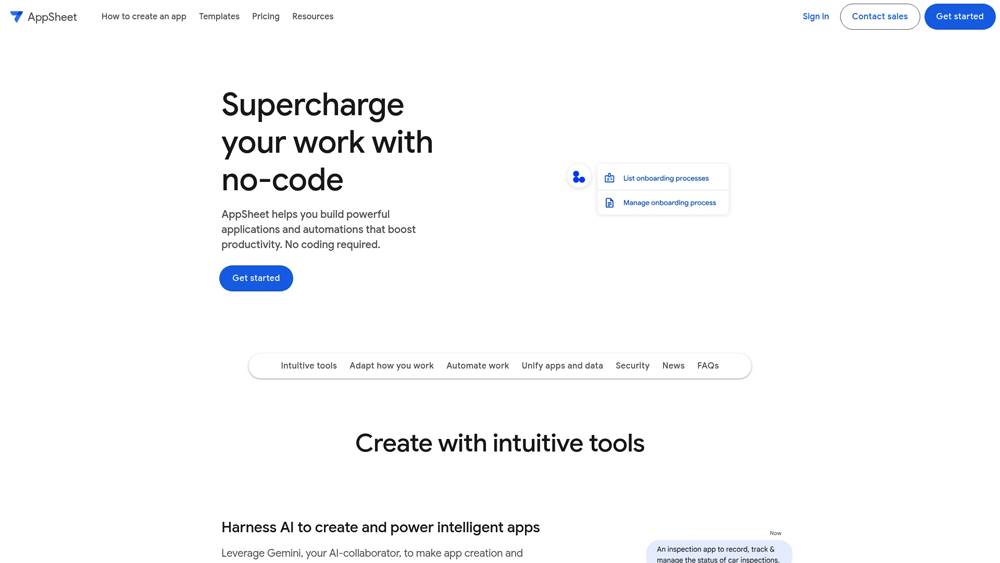
In-Depth Review & Model Analysis
Google AppSheet has evolved into a cornerstone of modern business automation. We evaluate its performance based on its ability to handle complex relational data, the seamlessness of its “AppSheet AI” (powered by Gemini), and its operational reliability in high-stakes enterprise environments. This analysis focuses on its 2026 iteration, where the line between “no-code” and “pro-code” functionality has been masterfully blurred.
Key Takeaways: Pros, Cons & Quick Summary
This summary highlights the strategic advantages and technical considerations for deploying Google AppSheet in professional workflows.
Key Advantages (Pros)
- Seamless Workspace Integration: Native connectivity with Sheets, Drive, and Gmail provides an unparalleled ecosystem advantage.
- AI-First Development: Gemini-powered natural language prompts can generate entire app structures and automation logic instantly.
- Offline Functionality: Exceptional support for offline data entry and synchronization, critical for field operations.
- Robust Security: Inherits Google’s enterprise-grade security protocols, including IAM and advanced data encryption.
- Multi-Platform Deployment: One-click deployment to iOS, Android, and web browsers with responsive design defaults.
Potential Drawbacks (Cons)
- UI Customization Ceiling: Highly specific, bespoke UI designs are difficult to achieve within the standardized templates.
- Performance with Massive Datasets: Can experience latency when processing extremely large, unoptimized Google Sheets as a backend.
- Steep Learning Curve for Logic: While “no-code,” mastering complex expressions and multi-step automations requires significant time.
Core Features: Intelligent Automation & Data Orchestration
AppSheet’s 2026 feature set is designed for operational efficiency, focusing on closing the gap between raw data and actionable intelligence. We focus on the most impactful features for enterprise power users.
-
AI App Creation (Gemini-Powered): Users can describe their app’s purpose in plain English, and AppSheet will suggest the data schema, UI layout, and initial automation rules.
-
AppSheet Automation: A powerful workflow engine that triggers actions (emails, notifications, data updates) based on specific conditions, effectively acting as an autonomous agent within the business ecosystem.
-
Multi-Data Source Connectivity: Native connectors for SQL databases, Salesforce, Smartsheet, and Google Workspace allow for a centralized “Single Source of Truth.”
-
Advanced OCR and Image Intelligence: Built-in capabilities to extract data from images and PDFs (e.g., invoices or site inspections) directly into the app’s database.
-
Dynamic View Governance: Granular control over what users see and edit based on their role, email, or department, ensuring data security and interface simplicity.
Model Architecture & Innovation
The underlying architecture of AppSheet is its greatest innovation, a engine that interprets data structures rather than a traditional compiled code approach. By 2026, this engine is tightly coupled with Gemini’s reasoning capabilities.
- The Declarative Engine: Instead of coding logic, users define “Intent.” The engine then handles the cross-platform rendering and data synchronization, ensuring the app works perfectly on any device.
- Gemini Integration: The 2026 architecture utilizes Gemini models to predict user needs, suggest data validation formulas, and even troubleshoot broken automation logic in real-time.
- Serverless Scaling: Built on Google Cloud Infrastructure, AppSheet apps scale automatically without the need for manual server provisioning or DevOps oversight.
Performance, Speed & User Experience (UX)
User experience in AppSheet is defined by its “utility-first” design. While it lacks the aesthetic fluidity of custom consumer apps, its functional speed and interface clarity are optimized for work environments.
- Sync Latency: In 2026, AppSheet has introduced “Delta-Sync” technology, which only transfers changed data, drastically reducing sync times for large-scale deployments.
- Interface Consistency: The Porto-inspired UX patterns ensure that users across an organization have a familiar experience, regardless of which specific app they are using.
- Native Device Features: High-speed access to camera, GPS, and NFC allows for high-performance data collection that feels as responsive as a native application.
Google AppSheet: 2026 Workspace Pricing
The integration of Gemini 3 has fundamentally evolved no-code development. With the “Extract Rows” and “Summarize” tasks now generally available, AppSheet allows you to build sophisticated AI Automations that handle heavy data lifting. Whether it is automatically pulling line items from a photo of an invoice, summarizing a legacy customer record via natural language, or using Smart Assistant to query your database, AppSheet bridges the gap between raw data and actionable tools.
Combined with its deep-rooted connection to the Google 365 ecosystem and industry-leading offline functionality, it remains the premier choice for digitizing field operations without traditional development overhead.
STARTERMost Popular$5
- Price: $5/user/mo
- Model: Google Sheets Sync
- Core: Basic Application Automations Plus Connection to Google Drive and Cloud File Storage
- Best For: Small Teams Managing Basic Task Lists and Simple Internal Digital Records Tracking
ENTERPRISE+Most Popular$20
- Price: $20/user/mo
- Model: Full Gemini AI Gen
- Core: Direct SQL and CRM Integration Plus Priority Support and Advanced Team Management
- Best For: Global Organizations Scaling Complex Enterprise Solutions with High Security
USER PASSMost Popular$5
- Price: $5/active user
- Model: Pooled License
- Core: Pay-Per-App Access Plus Support for Unauthenticated Users and Flexible Monthly Scaling
- Best For: Seasonal Workforces and Guest Users Accessing Public Facing Applications
Note: AppSheet Core is included at no extra cost for most Google Workspace plans (Starter, Standard, and Plus). However, apps requiring “Gemini in AppSheet” for automated data extraction or connections to SQL, Salesforce, and AWS typically require an Enterprise Plus license. Organizations with high external user traffic may benefit from the “AppSheet User Pass” pooled licensing model. Always verify your current “Automation Bot” limits in the AppSheet Admin Console, as pricing and external sharing permissions are subject to Google’s 2026 security roadmap.
Product Details
Google AppSheet is the definitive platform for turning your data into powerful, automated business tools. It provides a secure, enterprise-grade environment that empowers “citizen developers” to build custom solutions that feel like native apps, earning our top recommendation for organizations heavily integrated within the Google ecosystem.
Platforms Supported
- Cloud (Web-based)
- Windows (via Browser)
- Mac (via Browser)
- iPhone (Native App)
- iPad (Native App)
- Android (Native App)
Training
- Documentation
- AppSheet Academy
- Video Tutorials
- Community Forum
Support
- Online (Ticket-based)
- Community Help
- Knowledge Base
- Phone Support (Enterprise Only)

Prompt Colleague Score
Quick Facts
- Company: Google
- Best For: Business Process Automation & Corporate Apps
- Primary AI: Gemini 3.0 (Task Step Automation)
- Latest Feature: Multi-row PDF Data Extraction (AI Tasks)
- Data Sources: Google Sheets, SQL, Salesforce, BigQuery
- Governance: AppSheet Admin Console (AI Credit Monitoring)
- Official Site: appsheet.com
Pricing & Access (2026)
- Free Tier: Personal Prototyping (10 Users)
- Starter: $5/user/month (Basic Branding)
- Core: Included in Workspace (Standard Business Logic)
- Enterprise Plus: $20/user/month (Unlocks AI Tasks/Gemini)
- Publisher Pro: $50/app/month (Public usage, no login)
- Best Value: Core (Zero extra cost for Workspace users)
Frequently Asked Questions (FAQ)
AppSheet is a true “no-code” platform that uses data-driven logic to build apps automatically, whereas Power Apps often requires “low-code” (formulas) and manual UI design. AppSheet is generally faster for mobile data entry and works better offline out of the box.
Yes, AppSheet offers a free “Prototype” mode for up to 10 users. It is fully functional for testing and personal use, but deploying to a larger team or using advanced features like Gemini AI automation requires a paid Starter, Core, or Enterprise seat.
Gemini 1.5 Pro integration allows you to build apps using natural language (chat-to-app). It also powers “AI Tasks” which can automatically summarize app data, extract info from uploaded images, and predict trends directly within your custom application.
You retain full ownership of the applications and the underlying data. Because AppSheet connects directly to your data source (Google Sheets, SQL, Excel), the data never leaves your secure cloud environment; AppSheet simply provides the interface to interact with it.
Yes, AppSheet is built with a “mobile-first” offline approach. Users can capture data, take photos, and complete forms in remote areas without signal. The app will automatically sync all changes to the cloud once a connection is restored.
Absolutely. While it is native to Google Workspace, AppSheet Enterprise supports a wide range of connectors including Microsoft SQL Server, Salesforce, Smartsheet, AWS DynamoDB, and Box, as well as REST API integrations.
Google AppSheet APIs & Automation
The professional utility of AppSheet extends into the realm of complex enterprise automation. The AppSheet API provides direct, programmatic access to your app’s data and workflows, enabling seamless integration with external systems. In 2026, this includes advanced “AppSheet Agents” powered by Gemini 1.5 Pro, allowing for autonomous data processing and cross-platform synchronization that goes far beyond simple form entry. This API-first infrastructure is essential for scaling internal tools into global enterprise solutions.
Organizations use the AppSheet REST API to trigger external workflows, update legacy databases, and push notifications across global teams. By leveraging Webhooks and Google Cloud Functions, developers can build an interconnected ecosystem where AppSheet serves as the intelligent mobile front-end for complex MLOps and ERP systems. This ensures that field data is instantly actionable and perfectly synced with the core business logic across all departments.
App Builder Capabilities:
- No-Code Development
- For Field Services
- For Logistics
- For Project Management
- Multi-Platform Sync
- Automated Data Capture
- Workflow Automation
- Internal Business Tools
- OCR Image Recognition
- Custom AI Tasks
- Predictive Modeling
- Advanced Dashboarding
Automation & Logic:
- Machine Learning Integration
- Conditional Logic Flows
- Signature Capture
- GPS / Map Integration
- Push Notifications & Emails
- Barcode & QR Scanning
- Document Generation (PDF)
- Voice Commands (AI Assistant)
- Offline Data Caching
- User Role-Based Access
- Real-time Reporting
- Embedded Maps & Charts
Intelligent App Features:
- Dynamic Data Slices
- Multi-Language UI
- On-Screen Interactions
- Automated Data Auditing
- Sentiment Detection
- Agentic Data Processing
- Personalized User Settings
- Smart Document Parsing
- Autonomous Automation Bots
- Visual Data Inspection
- External API Triggers
- WebHook Integrations
- Virtual Assistant Overlay
Data Sources & Connectivity:
- Google Sheets
- Microsoft Excel Online
- Cloud SQL Databases
- Salesforce Integration
- Smartsheet & Airtable
- BigQuery Connection
- On-Premise Databases
- AppSheet Database (Built-in)
No-Code Platform Capabilities:
- Automatic UI Generation
- Expression Builder (Logic)
- Real-time Data Validation
- Cross-Platform Deployment
- Governance & Admin Console
- Security Domain Filtering
- Offline Caching Logic
- Version Control & Rollback
- Centralized Management
- Policy Compliance Tools
Product Features In Detail:
Beyond its core app builder interface, Google AppSheet functions as a comprehensive ecosystem for enterprise-grade automation. This detailed feature section explores how “citizen developers” and IT professionals leverage AppSheet for mission-critical tasks, including mobile data capture, Gemini-powered automation, complex logic workflows, and multi-source data integration. These capabilities are essential for organizations looking to modernize their operations without writing a single line of code.
AppSheet transforms mobile devices into powerful sensors. Use built-in OCR (Optical Character Recognition) to extract text from photos, scan barcodes and NFC tags, and capture high-resolution images with automatic GPS tagging for location-verified records.
The “killer feature” of 2026 is Gemini 1.5 Pro within AppSheet. You can now use AI to automatically summarize long field reports, extract key data from unstructured images (like receipts or invoices), and generate predictive insights based on historical app data.
Users can build sophisticated “Bots” that run in the background. These bots can automatically trigger emails, generate PDF reports when a form is submitted, and update external databases based on complex, multi-step logic workflows.
AppSheet includes a native cloud database that allows you to manage data without external spreadsheets. This provides a faster, more integrated experience with higher row limits and improved performance for large-scale enterprise applications.
The unified AppSheet Editor provides a side-by-side preview of your mobile, tablet, and web application. As you modify data structures or logic, the app updates in real-time, allowing for rapid prototyping and immediate user feedback.
AppSheet utilizes “User Settings” and “USEREMAIL()” logic to create highly personalized experiences. It remembers a user’s territory, preferred language, and specific role, ensuring each team member only sees the data and actions relevant to them.
Built on Google Cloud’s enterprise-grade infrastructure, AppSheet offers SOC 2 compliance, GDPR readiness, and robust data encryption. It integrates seamlessly with Google Workspace admin policies for secure, governed internal tool deployment.
For complex business rules, AppSheet uses an Excel-like expression language. This allows you to build graduate-level logic—such as calculating dynamic pricing or validating complex date ranges—using powerful but accessible syntax.
The Top 4 AI Tools: Our Editors' Picks for Instant Productivity!

ChatGPT
AI Assistants

Google Gemini
AI Assistants

Midjourney
Image Generators

Otter.ai
Meeting Assistants