

MeetGeek Review 2026: The Leader in Meeting Intelligence & Automation
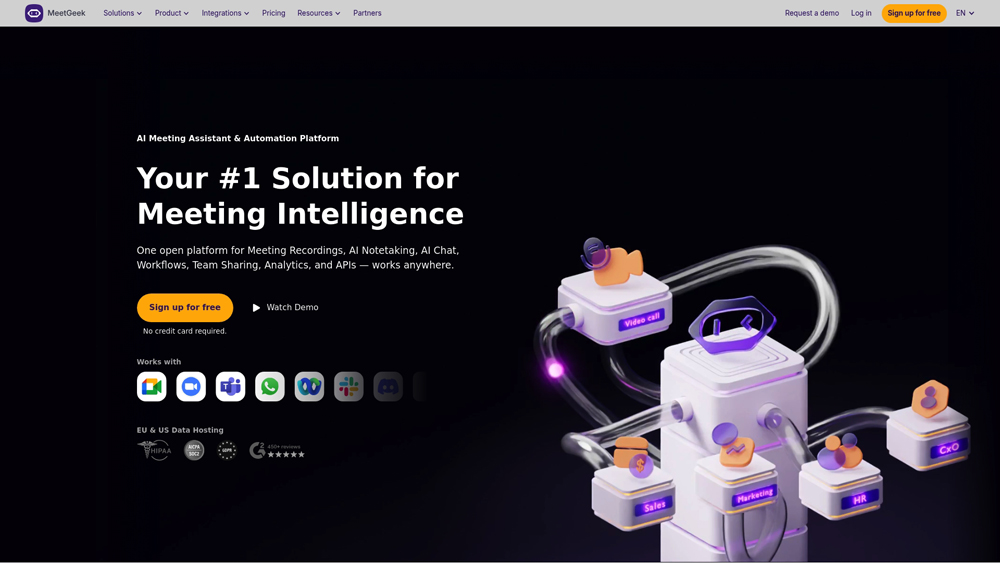
MeetGeek is an advanced AI meeting assistant designed to record, transcribe, and analyze online conversations across Zoom, Google Meet, and Microsoft Teams. Unlike basic transcription tools, MeetGeek focuses on “Meeting Intelligence,” providing teams with deep insights into sentiment, engagement, and talk-time analytics. It automates the entire post-meeting workflow by pushing summaries and action items directly into CRMs and project management tools, making it an essential hub for remote-first organizations.
In-Depth Review & Analytical Capability
MeetGeek has moved beyond simple transcription to become a core pillar of Conversational Intelligence. We evaluate its performance based on its ability to identify key moments, track team health through sentiment analysis, and the robustness of its 2,000+ app integrations. For businesses that live in meetings, MeetGeek provides the visibility needed to ensure time spent on calls translates directly into project progress.
Key Takeaways: Pros, Cons & Quick Summary
This summary highlights why MeetGeek is a top-tier choice for analytical teams and where it might face challenges for smaller setups.
Key Advantages (Pros)
- Advanced Meeting Analytics: Tracks talk-time, sentiment, and participation to improve meeting health.
- Seamless Integrations: Connects natively with Slack, HubSpot, Salesforce, and 2k+ apps via Zapier.
- Automated Workflow: Pushes custom summaries and tasks to PM tools instantly after the call ends.
- Video Snippets: Easily create and share video “highlights” of key decisions with stakeholders.
- Generous Free Tier: Offers 5 hours of transcription per month with unlimited AI summaries.
Potential Drawbacks (Cons)
- UI Learning Curve: The analytics dashboard can be overwhelming for casual users who just want text.
- Transcription Lag: Processing high-resolution video meetings can sometimes take longer than audio-only competitors.
- Enterprise Pricing: Advanced team management features are locked behind higher-cost subscription tiers.
Core Features: Meeting IQ, Video Highlights & CRM Sync
MeetGeek offers a powerful set of features designed to maximize the value of every minute spent on a call. We focus on the capabilities that differentiate MeetGeek from standard transcription tools, including its analytical engine and workflow triggers.
-
Meeting IQ Analytics: This feature provides a “health score” for your meetings, analyzing silence, talk-time per participant, and the overall sentiment of the conversation to identify coaching opportunities.
-
Customizable AI Summaries: Users can create specific summary templates for different meeting types (e.g., Sales Discovery, Daily Standup, Interview) to ensure the AI captures the exact data points needed.
-
Native CRM & PM Integrations: Direct synchronization with platforms like Salesforce, HubSpot, Jira, and Notion ensures that action items move from the meeting to the task list without manual entry.
-
Global Searchable Repository: Every meeting is stored in a centralized “Meeting Library,” allowing you to search across all past conversations for specific keywords, competitors, or project mentions.
-
Video Highlight Snippets: Instead of sharing a 60-minute recording, users can clip the “Golden Moments” and share them via Slack or Email to keep stakeholders informed quickly.
Architecture for Privacy & Accuracy
MeetGeek combines high-fidelity speech-to-text engines with advanced LLM processing to ensure that transcripts are not just accurate, but contextually aware of industry-specific jargon.
- Proprietary Diarization: MeetGeek excels at distinguishing between multiple speakers, even in rooms with similar voice profiles, ensuring that the “who said what” is always correctly attributed.
- Multi-Language Support: With support for 50+ languages, MeetGeek handles international calls with ease, providing consistent transcription quality across global regions.
- Security & Compliance: MeetGeek is SOC 2 Type II compliant and GDPR-ready, offering enterprise-grade encryption and the ability to set custom data retention policies to meet legal requirements.
Performance & User Interface (UX)
The user experience in MeetGeek is built around “Dashboards.” While it houses complex data, the interface remains clean and prioritized for productivity.
- Automated Joiner: The MeetGeek bot is highly reliable, joining calls precisely on time based on calendar invites, with the option to customize the bot’s name for a more professional appearance.
- Real-time Highlighting: During a live meeting, users can “star” or highlight moments, which the AI then prioritizes when generating the final summary and action items.
- Collaborative Workspaces: Team folders and shared libraries make it easy for departments to organize their meetings, reducing the time spent hunting for old call recordings.
MeetGeek Pricing & Value for Money
MeetGeek offers a transparent tiered pricing model. In 2026, the introduction of Agentic Voice Agents and Unlimited Business Transcription has solidified its position as a top-tier choice for teams that need high-volume meeting intelligence without the “minutes anxiety.”
BASICFor Individuals$0
- Price: $0/mo
- Transcribe: 5 Hours/mo
- Storage: 3 Months
- Best For: Light Testing
BUSINESSFor Teams$29
- Price: $29/mo*
- Transcribe: Unlimited*
- AI: Voice Agents
- Best For: Sales & Growth Teams
ENTERPRISEFor ScaleCustom
- Price: Quote
- Support: Priority & SSO
- Storage: Custom Retention
- Best For: Corporations
*Note: Prices reflect annual billing. In 2026, the Business tier has removed the 100-hour cap for annual subscribers, offering unlimited transcription. The new AI Voice Agents are available starting on the Pro tier with advanced customization on Business and Enterprise. Always verify current limits at meetgeek.ai.
Product Details
MeetGeek stands as a top-tier meeting assistant in 2026, particularly for organizations that value data-driven decision making and autonomous workflows. Its new ability to deploy AI Voice Agents to meetings makes it one of the most innovative “agentic” tools in the category.
Platforms Supported
- Web App
- iOS App
- Android App
- Chrome Extension
Training
- Video Tutorials
- Knowledge Base
Support
- 24/7 Email Support
- Live Chat
Prompt Colleague Score
Quick Facts
- Company: MeetGeek
- Best For: Team Collaboration & Post-Meeting Workflows
- Latest Engine: Meeting IQ v4 + Agentic AI Voice
- Key Tech: AI Voice Agents & MCP Server Support
- Headquarters: Bucharest, Romania
- Storage: 12 Months Video (Business)
- Official Site: meetgeek.ai
Pricing & Access (2026)
- Basic: $0 (3-5 Hours/mo Recording)
- Pro: $15/mo* (20 Hours + Workflows)
- Business: $29/mo* (Unlimited Transcripts)
- Enterprise: $59/mo* (Custom Speech Models)
- Value Pick: Business (Best for Unlimited Capacity)
MeetGeek Frequently Asked Questions (FAQ)
MeetGeek stands out by focusing on ‘Meeting IQ.’ Beyond just transcription, it provides deep analytics on meeting health, such as talk-to-listen ratios, sentiment tracking, and engagement scores, helping teams improve their communication over time.
MeetGeek integrates natively with Zoom, Google Meet, and Microsoft Teams. It can automatically join scheduled calls from your calendar, or you can use the ‘discreet’ Chrome extension to record without a visible bot in the room.
Yes. One of MeetGeek’s strongest features is its workflow automation. You can set it to automatically push meeting summaries and action items directly into Slack, Notion, Trello, or your CRM (like Salesforce or HubSpot) as soon as the call ends.
Yes, MeetGeek supports transcription and summarization in over 50 languages. It also features automatic language detection, which is ideal for global teams who may switch between languages during a single session.
MeetGeek is SOC 2 Type II compliant and fully GDPR aligned. All data is encrypted both at rest and in transit using AES-256 and TLS standards. For enterprise users, it offers advanced data retention policies and private storage options.
Yes, MeetGeek offers a permanent ‘Basic’ free plan that includes 5 hours of transcription per month, unlimited AI summaries, and 3 months of storage, making it one of the most generous free tiers in the industry.
MeetGeek Conversational Intelligence & API
MeetGeek’s Public API and Zapier/Make integrations allow enterprises to transform raw meeting data into a strategic asset. By connecting MeetGeek to an internal tech stack, businesses can automate the flow of meeting ‘minutes’ into specialized databases, ensuring that every decision, blocker, and highlight is indexed and searchable across the entire organization. This eliminates the ‘information silo’ problem common in large remote teams.
Developers leverage the API to build custom dashboards that track high-level KPIs like sales pitch effectiveness or customer sentiment trends over time. With support for webhooks and custom data exports, MeetGeek acts as a bridge between live conversations and business intelligence tools, providing a level of “voice-to-workflow” automation that standard recording tools simply cannot match.
AI Intelligence Features:
- Auto-Recording
- For Leadership Tracking
- For Sales Coaching
- For HR Interviews
- 50+ Languages Supported
- Sentiment Analysis
- Automated Summaries
- Personalized Meeting Templates
- Speaker Identification
- Action Item Extraction
- Global Search Library
- Meeting Engagement Scores
Workflow & Productivity:
- Zapier & Make Support
- CRM Auto-Sync
- Notion Integration
- Slack Notification Hub
- HD Video Recording
- Meeting Snippet Sharing
- Custom Dictionary
- AI Meeting Chatbot
- Talk-Time Analytics
- Keyword Highlights
- Meeting Scheduling
- Collaborative Commenting
Meeting Governance:
- Centralized Repository
- User Permissions
- Branded Emails
- Meeting History Search
- Team-Based Spaces
- SOC 2 Type II Security
- GDPR/CCPA Compliance
- AES-256 Encryption
- Private Storage Options
- Custom Data Retention
- Mobile App Recording
- Chrome Extension
- Calendar Integration
Product Features In Detail:
MeetGeek is designed to be much more than a transcription tool; it is a full-scale conversational intelligence platform. By analyzing not just what was said, but how it was said, MeetGeek provides teams with the ‘why’ behind their meeting performance. This detailed feature breakdown explores how MeetGeek uses data to drive better decisions, improve team collaboration, and automate the mundane tasks that often follow a high-stakes call.
Gain unique insights into your team’s communication. MeetGeek tracks talk-to-listen ratios, monitors sentiment trends, and flags ‘long monologues’ or ‘frequent interruptions,’ allowing managers to coach teams toward more effective and inclusive discussions.
MeetGeek doesn’t provide one-size-fits-all notes. It recognizes different meeting types—from 1-on-1s to customer demos—and tailors the summary format to highlight what matters most, whether that’s technical blockers or sales objections.
Stop sharing long recordings. With MeetGeek, you can create ‘snippets’ or short video highlights of the most important moments. Team members can comment directly on the transcript, tagging colleagues to specific decisions or ideas.
With support for 50+ languages and automatic language detection, MeetGeek is built for international business. It ensures that language barriers don’t hinder documentation, providing accurate transcripts across diverse linguistic backgrounds.
MeetGeek is a ‘data multicaster.’ It connects with 2,000+ apps via Zapier and Make, allowing you to trigger actions—like creating a Jira ticket or updating a Salesforce lead—directly from a meeting keyword or action item.
Every meeting is automatically indexed in a centralized, searchable library. You can perform a ‘Global Search’ to find every time a specific competitor or budget figure was mentioned across months of different meetings.
Whether you prefer an AI bot joining your call or a silent Chrome extension recording in the background, MeetGeek offers flexible ways to capture audio. It even supports mobile recording for in-person workshops and events.
For large organizations, MeetGeek provides granular admin controls, branded email templates, and SOC 2 Type II security. Admins can manage organization-wide data retention and user permissions to ensure strict compliance.
The Top 4 AI Tools: Our Editors' Picks for Instant Productivity!

ChatGPT
AI Assistants

Google Gemini
AI Assistants

Midjourney
Image Generators

Otter.ai
Meeting Assistants