

Wrike Review 2026: The Powerhouse for Data-Driven Project Automation
Wrike is a high-performance work management platform designed for teams that require deep data integration and complex workflow automation. By unifying project tracking with powerful AI-driven resource management, Wrike helps organizations eliminate manual data entry and optimize productivity. Whether you are managing marketing campaigns or complex engineering sprints, Wrike’s automation engine ensures that tasks move through the pipeline with minimal friction and maximum visibility.
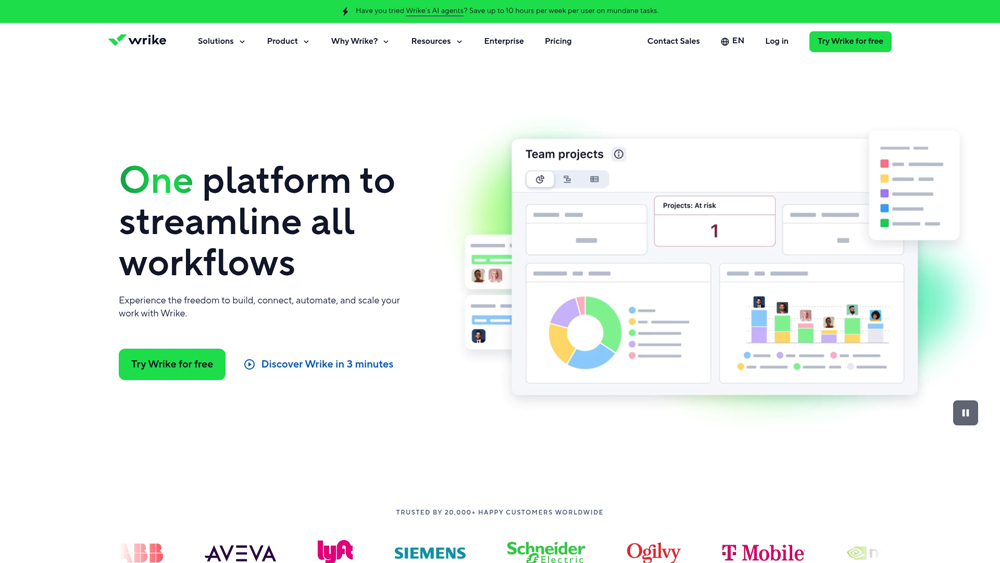
In-Depth Review & Automation Analysis
Wrike has evolved into much more than a project board; it is a sophisticated data-processing hub for work. We evaluate its performance based on its custom request forms, automated blueprinting, and the Work Intelligence™ AI suite. In 2026, Wrike leads the “Data / Automation” category by allowing teams to create “no-code” logic that handles everything from lead intake to financial reporting, ensuring that human talent is focused on strategy rather than status updates.
Key Takeaways: Pros, Cons & Quick Summary
This quick summary highlights why Wrike is a leader in workflow automation and where it might challenge smaller teams.
Key Advantages (Pros)
- Advanced Work Intelligence: AI that predicts project risks, automates subtask creation, and summarizes long comment threads.
- Custom Item Types: Total flexibility to mirror your specific business data (e.g., SKU tracking, Budget lines) within tasks.
- Automated Request Forms: Instantly turns external or internal data submissions into structured, auto-assigned projects.
- Enterprise Security: Industry-leading Wrike Lock provides user-owned encryption keys for maximum data privacy.
- Real-Time Analytics: Dynamic dashboards that pull live data into high-level reports for stakeholders.
Potential Drawbacks (Cons)
- Steep Learning Curve: The sheer depth of automation features can be overwhelming for non-technical users initially.
- Pricing Complexity: Many of the most powerful automation and data tools are locked behind higher-tier Enterprise plans.
- Mobile Limitations: While robust, the mobile app is less effective for building complex automations compared to the desktop version.
Core Features: Work Intelligence™ & Automation Mastery
Wrike offers an expansive toolkit that bridges the gap between simple project management and full-scale ERP. We focus on the automation features that allow power users to build “self-driving” workflows.
-
AI Work Intelligence™: Wrike’s 2026 AI updates include generative subtask creation, risk prediction models that flag overdue items before they happen, and automated project health summaries.
-
Cross-Tagging Automation: Data can live in multiple folders simultaneously without duplication. Updating a data point in one department’s view automatically updates it across the entire organization’s ecosystem.
-
Wrike Integrate: Connect Wrike to over 400+ apps (Salesforce, HubSpot, Slack) with complex logic triggers that move data seamlessly between platforms without manual intervention.
-
Custom Request Forms with Logic: Intake forms that use branching logic to collect precise data, then automatically apply project templates and assign the right specialists based on the input.
-
Resource Management & Workload: Automated capacity planning that recalculates team bandwidth in real-time as tasks are rescheduled, preventing burnout and data bottlenecks.
Data Integrity & Custom Architecture
For data-centric teams, Wrike’s architecture allows for a level of precision that competitors struggle to match. The platform treats every project component as a unique data object that can be customized to fit specific vertical needs.
- Custom Item Types: Professionals can define what a “task” looks like, transforming them into “Service Tickets,” “Bug Reports,” or “Campaign Assets” with unique data fields and automation rules.
- Blueprints: Save complex, multi-layered project structures as Blueprints. When a new project starts, Wrike automates the creation of all dependencies, dates, and assignees in seconds.
- Dynamic Gantt Charts: Unlike static charts, Wrike’s Gantt views are interactive data visualizations. Adjusting one date automatically cascades changes through the entire project timeline via built-in automation logic.
Performance, Speed & User Experience (UX)
Wrike is built for high-volume environments. Performance is measured by how quickly the system processes large data sets and the efficiency of the “Lightspeed” interface.
- Interface Responsiveness: The ‘Lightspeed’ UI update ensures that even projects with thousands of tasks load instantly. This is critical for enterprise data management where lag can disrupt workflow.
- Personalized Home View: The UX centers on a “Home” screen that uses AI to prioritize your most urgent tasks and recent data mentions, reducing the time spent searching for information.
- Automation Engine Reliability: Wrike’s backend handles millions of automated actions daily with extreme uptime, ensuring that mission-critical business logic never fails during peak operations.
Wrike Pricing & Production Value
Wrike’s pricing structure focuses on scaling with complexity. The Free tier is generous for basic task management, but the Business plan is the essential “sweet spot” for teams wanting the full AI Elite feature set. The new Apex plan (replacing legacy Enterprise) is designed for organizations that need deep data integration and visual ideation built directly into their workflow.
FREEBasic Collaboration$0
- Users: Unlimited (Basic)
- Views: Board & Table
- AI: Wrike Copilot Basic
- Storage: 2GB per account
TEAMSmall Squads$9.80
- Users: 2–25 Seats
- Views: Gantt & Calendar
- AI: AI Essentials
- Automation: 50 Actions/mo
APEXGlobal EnterpriseCustom
- Visual: Unlimited Whiteboards
- Sync: Bi-directional Sync
- Data: Wrike Datahub (30M)
- Security: SAML SSO & Lock
PRO TIP: Wrike uses “Group-based pricing” (e.g., Business requires a 5-user minimum), so a team of 3 will still pay for 5 seats; visitors should always check the official Wrike site for the most current seat requirements and AI quota updates. The 2026 AI usage quotas are very generous, making the Business tier significantly better value than paying for third-party automation add-ons.
The Apex Advantage: Visual & Connected Work
The 2026 Apex Plan is Wrike’s most significant update in years. By acquiring Klaxoon, Wrike has embedded enterprise-grade Whiteboarding directly into the project environment. You can now brainstorm on a visual canvas and instantly convert sticky notes into actionable Wrike tasks. Furthermore, Wrike Sync and Datahub allow you to pull in millions of records from external ERPs or CRMs, turning Wrike into a unified data hub. When combined with Multi-Action AI Agents, the platform doesn’t just track work, it predicts outcomes and automates the cross-platform handoffs that used to require manual oversight.
Platforms Supported
- Web / Cloud
- Windows Desktop
- Mac OS
- iOS (iPhone/iPad)
- Android
Training
- Wrike Discover (LMS)
- Webinars & Live Demos
- Certification Programs
Support
- 24/7 Live Chat
- Phone Support (Paid)
- Dedicated Success Manager

Prompt Colleague Score
Quick Facts
- Company: Wrike (Citrix/Tibco)
- AI Core: Work Intelligence™ V3
- Best For: Complex Enterprise PMO
- Highlight: No-Code AI Agent Builder
- Compliance: HIPAA, SOC2, GDPR
- Free Tier: Yes (Unlimited Users)
- Official Site: wrike.com
Pricing & Access (2026)
- Free: $0 (Basic Tasks)
- Team: $9.80/user/mo
- Business: $24.80/user/mo
- Apex Plan: Custom (Enterprise)
- Best Value: Business (AI Agents)
Frequently Asked Questions (FAQ)
Wrike is built for high-level complexity. While Trello and Asana focus on task visualization, Wrike excels at deep data management, multi-layered folder structures, and sophisticated cross-departmental automation that can handle thousands of dependencies simultaneously.
Wrike’s Work Intelligence™ is an integrated engine, not just a chat interface. It proactively identifies project risks, automates the creation of subtasks based on historical data, and uses AI to summarize long threads, directly impacting your actual project data and timelines.
Wrike offers real-time workload views that allow managers to see team capacity across multiple projects. If one team member is overbooked, Wrike’s automation tools help you drag-and-drop to rebalance tasks, instantly updating all related project data.
Yes. Using Wrike’s Dynamic Request Forms, you can collect data from external clients or internal stakeholders. The system then automatically converts that data into a structured project using pre-defined blueprints and auto-assigns the relevant team members.
Wrike is an industry leader in security, offering Wrike Lock. This allows enterprises to own and manage their own encryption keys for their data in the cloud, ensuring total sovereignty and compliance with global data protection standards.
Absolutely. Wrike Integrate allows for deep, two-way syncs with hundreds of platforms. You can pull CRM data from Salesforce to trigger project workflows or push Wrike’s performance data into Tableau for executive-level reporting.
Data & Automation Capabilities
The core value of Wrike lies in its ability to turn unstructured work into structured data. In 2026, the platform utilizes advanced machine learning to predict project completion dates with over 90% accuracy. By treating every task as a data point, Wrike enables an “Agentic Workflow” where the system can suggest the best team members for a job based on past performance data and current bandwidth, effectively acting as an automated project coordinator.
Enterprises use Wrike’s Custom Item Types to build digital twins of their business processes. Whether you are tracking a supply chain, a marketing sprint, or a software bug, Wrike’s API allows you to bridge these workflows with external ERP and BI systems. This ensures that the data moving through your project management tool is always in sync with your organization’s broader financial and operational goals.
Automation Engine Features:
- Custom Item Types
- Resource Capacity Planning
- Automated Blueprints
- Cross-Tagging Logic
- Conditional Request Forms
- Workflow Triggers
- Auto-Assignment Rules
- Time Tracking Automation
- Interactive Gantt Charts
- Dependency Management
- Milestone Tracking
- Real-time Dashboards
Work Intelligence™ (AI) Suite:
- AI Risk Prediction
- Generative Subtasks
- AI Comment Summarization
- Smart Search Logic
- Automated Priority Ranking
- Natural Language Commands
- Data-to-Insights Engine
- AI Writing Assistant
- Predictive Analytics
- Anomaly Detection
- Automated Reporting
- Project Health Scoring
Product Features In Detail:
Wrike functions as a comprehensive ecosystem for operational excellence. Beyond basic task tracking, it offers high-precision tools designed for data integrity and workflow scalability. This detailed feature breakdown illustrates how enterprise teams use Wrike to automate the mundane and focus on high-impact strategic growth, leveraging the latest in AI-driven project intelligence.
Wrike allows you to move beyond “tasks.” You can create bespoke data objects like ‘Product Launches,’ ‘Creative Assets,’ or ‘Maintenance Tickets’ with their own unique automated states, fields, and reporting logic, ensuring the tool fits your business exactly.
One of Wrike’s standout features is its ability to scan thousands of data points to identify projects at risk of missing deadlines. It alerts managers proactively, providing a data-backed reason for the delay and suggesting resource reallocations.
Security is paramount in data automation. Wrike provides SOC 2 Type II compliance and the unique Wrike Lock feature, which gives you ownership of your data encryption keys, providing an extra layer of protection for sensitive corporate data.
Eliminate manual intake with forms that use conditional logic. Depending on the user’s answers, Wrike can instantly trigger a project from a blueprint, assign a budget, and notify the required department heads without a single human click.
Wrike solves the “silo” problem by allowing one task to exist in multiple folders or projects. This means the Marketing data and the Finance data stay synced because they are looking at the exact same data object from different perspectives.
The Lightspeed interface is built for speed. It allows teams to navigate massive portfolios and switch between Gantt, Table, and Board views with zero lag, which is essential when managing large-scale enterprise data operations.
Get a granular view of team bandwidth. Automation rules can be set to notify you when a specific team member reaches 100% capacity, allowing for proactive project management rather than reactive firefighting.
Bridge Wrike with your tech stack. Using a low-code interface, you can build complex integrations between Wrike and apps like Slack, Jira, and Salesforce, ensuring that data flows automatically across your entire organization.
The Top 4 AI Tools: Our Editors' Picks for Instant Productivity!

ChatGPT
AI Assistants

Google Gemini
AI Assistants

Midjourney
Image Generators

Otter.ai
Meeting Assistants